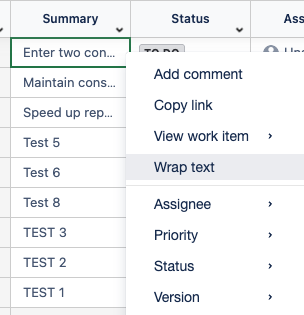
The Wrap Text option allows users to display long text within a column without expanding its width.
When enabled, text will automatically wrap onto multiple lines, and the row height will adjust to fit the full content for better readability.
How to Use Wrap Text
-
Right-click the Cell
Locate the cell that contains long or multiline text and right-click it. -
Select Wrap text from the context menu.