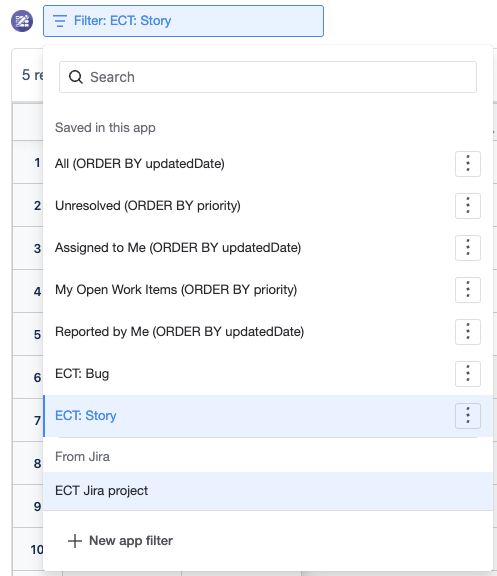
Jira Space Issue Filter with Spreadsheet
You can now use the Jira issue filter at the Jira space level together with the spreadsheet. This update makes it easier for teams to pull relevant Jira issues into a spreadsheet view for tracking, planning, and reporting.
What changed
The Jira issue filter is now available for use at the Jira space level. When combined with the spreadsheet, teams can create a flexible view of Jira data without needing to manage filters only at an individual page, board, or project context.
Why this matters
-
Teams can reuse Jira issue filters across the Jira space.
-
Spreadsheet views can include Jira issue data for easier tracking, planning, and reporting.
-
Jira space-level configuration helps keep issue data consistent across related spreadsheet views.
-
Users can reduce manual copying and updating of Jira issue information.
How to use it
-
Open the relevant Jira space.
-
Add or open the spreadsheet that will be used for Jira issue data.
-
Select the Jira issue filter option.
-
Choose the required Jira space-level filter.
-
Apply the filter to bring the matching Jira issues into the spreadsheet view.