
Overview
Starting from version 6.0.0, we’re migrating all of our features from Atlassian Connect to Forge. This page outlines what changes, what stays the same, and what you may need to do. Forge offers better security and reliability, and your existing data is preserved.
Important for Site Administrators
As this is a major platform migration, Atlassian Cloud sites will require a manual upgrade before version 6.0.0 becomes available to users. We recommend reviewing the Manual Upgrade Guide before upgrading to understand how to verify your app version and complete the update if required.
Why we are moving to Forge
-
Security-by-design: Forge runs code in Atlassian’s infrastructure with fine-grained permissions and egress controls.
-
Performance and reliability: Reduced network hops and tighter platform integration.
-
Future readiness: New Atlassian capabilities prioritise Forge.
-
Deprecation and platform alignment: Atlassian is deprecating legacy Connect patterns and tightening performance and security requirements. Moving to Forge keeps the app aligned with supported APIs and avoids breakage as older Connect features are phased out.
What’s changing in version 6.0.0
As we migrate all features to Atlassian’s latest infrastructure, the app benefits from enhanced security. You may notice some design changes, here are the key updates we’d like to highlight.
Below are feature-level impacts as we move to Forge. Use the linked references for technical details and current limitations.
Refreshed Create Screen Layout
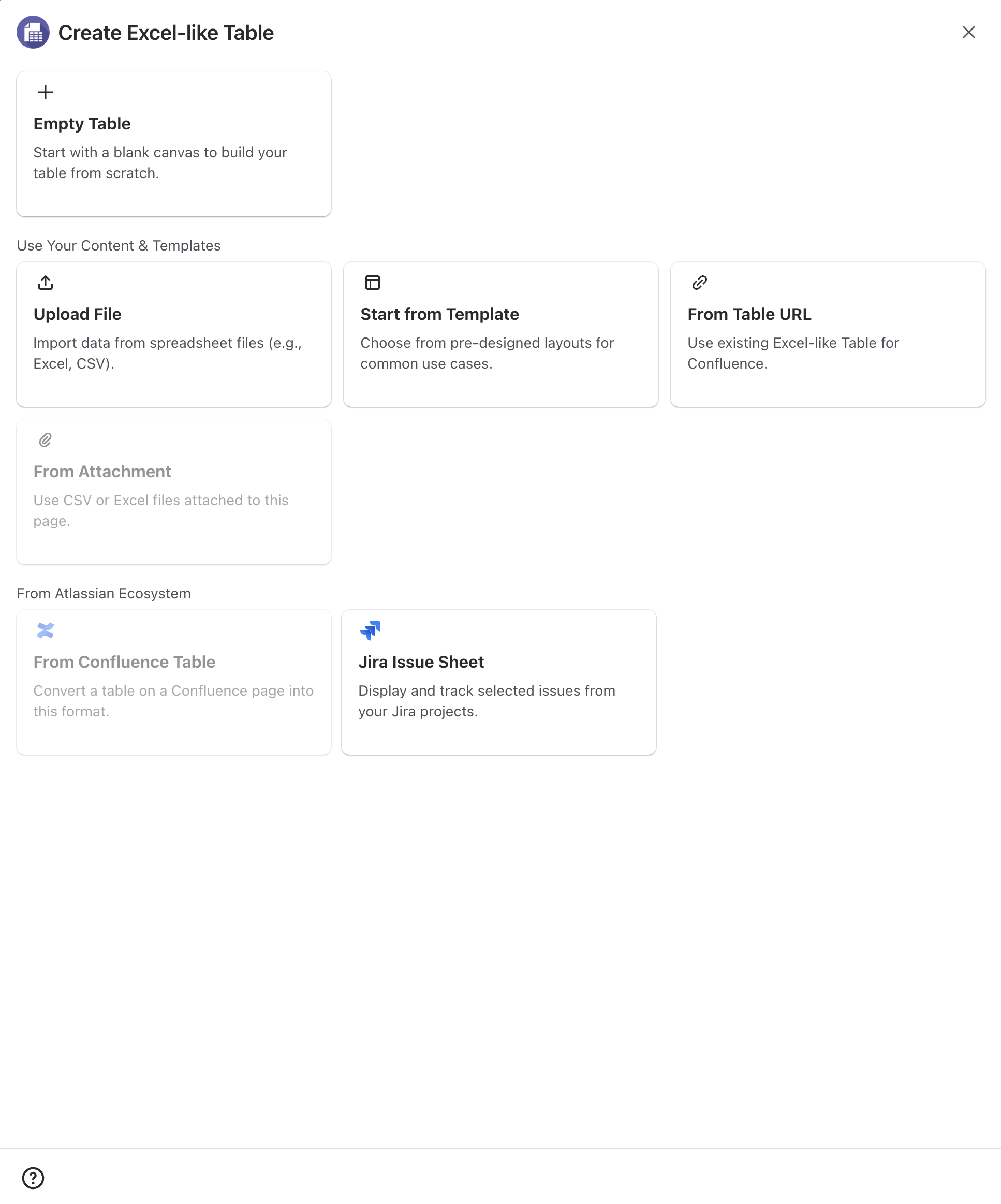
The Create screen has been redesigned with a cleaner, more intuitive layout to improve usability while keeping the existing workflow unchanged.
All options and functionality remain the same, but the refreshed interface provides a clearer organization, making it easier to navigate and configure your tables during creation.
Fullscreen editor (constrained layout)
Reference: Fullscreen Editor
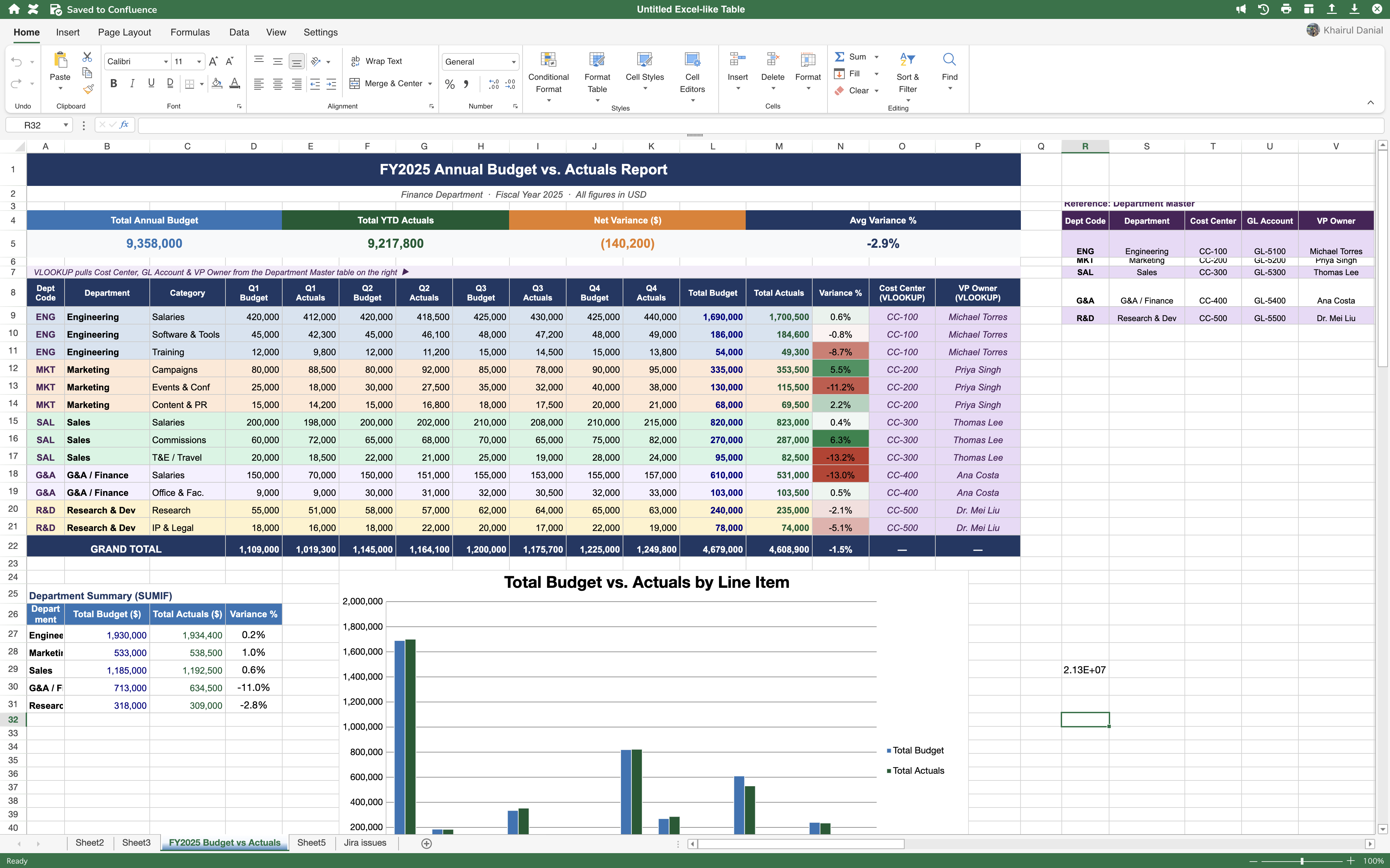
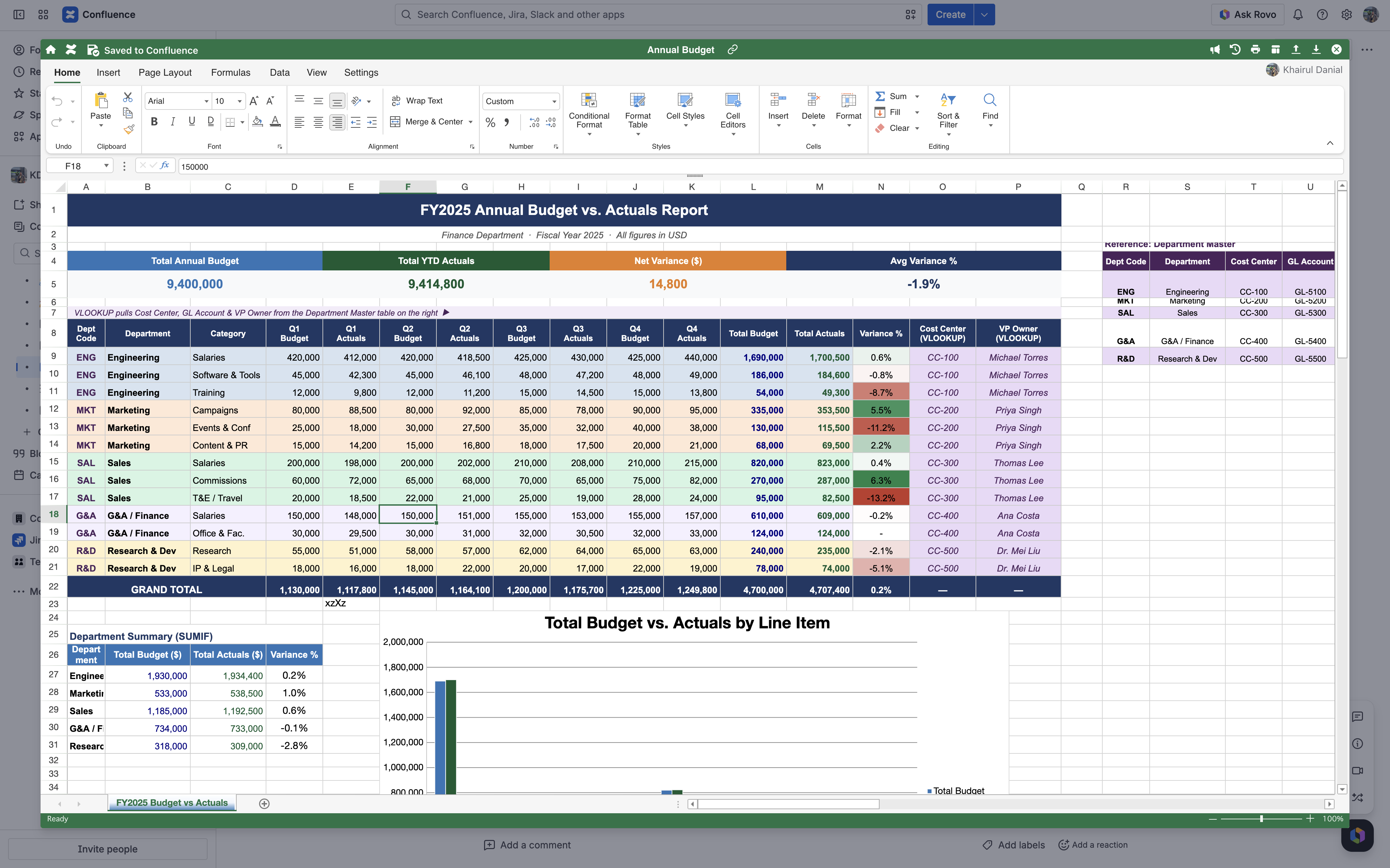
Due to Atlassian limitations, the fullscreen editor does not fill the entire browser viewport in Forge. The editor remains fully functional, but the visible area is limited by the Forge UI container. If this is a problem, please raise it in our support portal; we will consider your feedback.
Global Template Improvements
Reference: Using Excel-like Tables in Global Templates and Blueprints
Global Template Improvements
As part of the Forge migration, we've also enhanced the architecture behind Global Templates, improving both scalability and the template authoring experience.
Support for Larger Templates
Global Templates can now support significantly larger Excel-like Table content than before.
Previously, larger or more complex templates could run into storage limitations. We've optimized how table data is stored, allowing templates to accommodate up to approximately 79.6 MB of equivalent table content, nearly 40× more than before.
This increased capacity enables you to create larger and more sophisticated templates with multiple Excel-like Table macros, making Global Templates suitable for more demanding use cases.
Note
The capacity is shared across all Excel-like Table macros within a single Global Template. For example, you can include multiple macros, provided their combined table data remains within the supported limit.
Template Preview
Previously, Excel-like Table macros were not rendered in Global Template Preview, making it difficult to verify the final layout before creating a page.
With this release, macros are now fully rendered in Template Preview, allowing you to review exactly how your template will appear before using it.
What stays the same
Your data remains intact.
The migration updates the application framework and runtime without modifying or removing your data. Data models and records persist.
User experience overview
-
Navigation: Entry points remain familiar; some views adopt Forge UI patterns and spacing.
-
Permissions: Access remains the same.
-
Performance: Expect improved cold start behaviour after first interaction and better performance consistency.
Support and contact
Have questions, identified an edge case, or found a workflow affected by these changes? We'd love to hear from you. Please contact our support team by submitting a support request: https://ricksoft-support.atlassian.net/servicedesk/customer/portal/33/group/72/create/247?utm_source=chatgpt.com. Including details such as screenshots, page URLs, and steps to reproduce the issue will help us investigate and respond more quickly.