
How to Manage Sync Connections
Space Sync for Confluence allows space administrators to view and manage synchronization connections between Confluence spaces.
This guide explains how to check connection statuses and manage existing connections.
Establish a new connection
To connect a new space, select Establish sync from the Synced spaces list. Choose Create a new sync to configure and share a token, or Import a token to connect using a token received from another administrator. A sent or downloaded token is not yet an established connection; the receiving administrator must import it. Some external connections show Approval Required until the source administrator approves them.
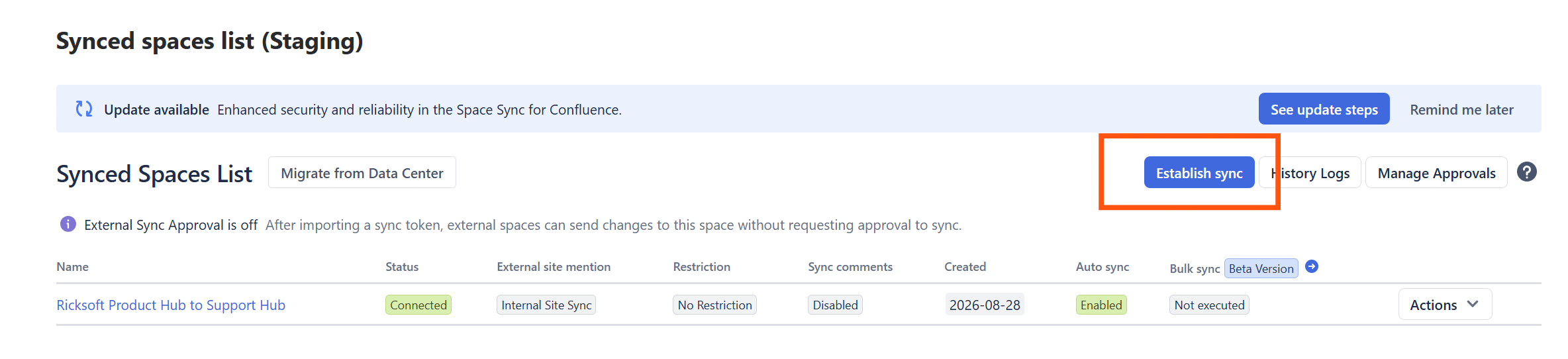
Follow How to establish synced spaces for the full guided setup.
View your sync connections
-
Open the Confluence space you want to manage.
-
Navigate to Space settings → Integrations → Synced spaces list.
-
Find the space connection you want to review.
-
Check its status and available actions.
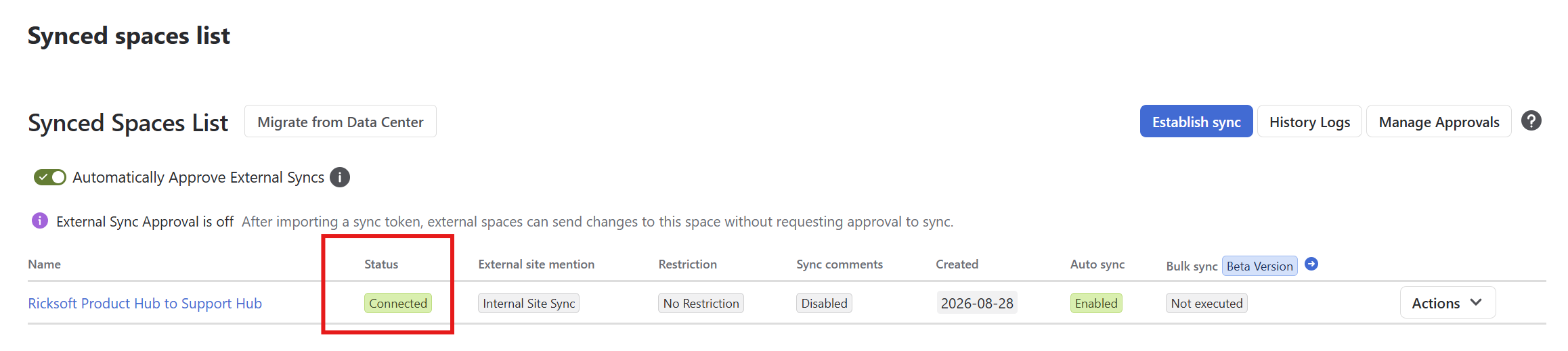
Note: The Synced spaces list requires the Space Administrator permission.
Understanding connection status
Connection status indicates whether SSC recognizes a relationship between spaces as available for synchronization.
|
Status |
Description |
What to do |
|---|---|---|
|
Connected |
The connection is recognized and available for synchronization. |
No connection recovery action is required. |
|
Unable to verify connection |
SSC cannot currently confirm the connection status. This does not necessarily mean the connection is broken. |
Select Check again to retry verification. |
|
Disconnected |
The existing space connection is no longer valid. |
Select Reconnect to restore the relationship, or Remove connection if it is no longer needed. |
|
Approval Required |
The destination's approval rules require administrator approval before synchronization can proceed. |
Request approval from the appropriate space administrator. |
Managing your connections
You can use the available connection actions to manage existing space relationships.
-
Remove connection: Remove a connection that is no longer needed. Removing one connection does not affect unrelated space relationships.
The available actions depend on the connection's current status.
If a connection remains unavailable after attempting the appropriate action, see the Troubleshooting Errors Guide.
For connections that require destination approval, see External Space: Requesting Sync Access to a Source Space.
Connection status vs. page sync status
Connection status and page sync status provide different information.
|
Connection status |
Page sync status |
|---|---|
|
Describes the synchronization relationship between spaces. |
Describes the synchronization state of an individual page and its destination. |
|
Helps administrators identify connections requiring attention. |
Helps users determine whether content is synchronized, outdated, or requires attention. |
For example, a connection can show Connected even when individual pages have not yet been synchronized.
Stopping synchronization for an individual page is also different from disconnecting the space relationship.
To check page synchronization results, see How to Check Page Sync Status.