
|
Issue |
How to Resolve? |
|---|---|
|
I cannot push changes from a restricted source page to destination space’s page regardless of the sync type (Auto sync, Manual sync, Bulk sync) |
|
|
I see Sync Error Icon with DELETED OR RESTRICTED on the space as the sync status on the page 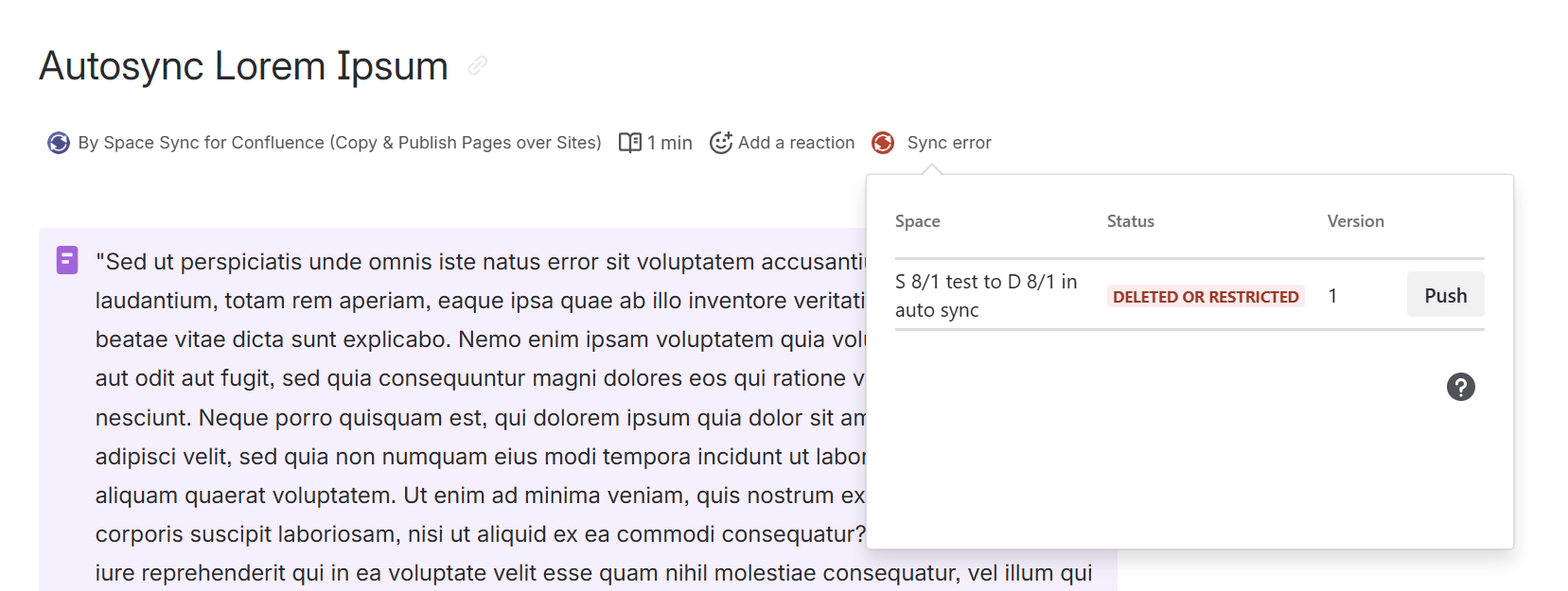
|
|
|
I see "Unable to verify connection" as the connection status in the Synced Spaces List. |
Select Check again to refresh the connection status. If SSC still cannot verify the connection, contact Ricksoft Support. This status does not necessarily mean the connection is broken. |
|
I see "Cannot reconnect while a bulk sync is in progress" when trying to reconnect a space. |
Wait for the ongoing Bulk Sync operation to finish, then select Reconnect again. |
|
I see "The connection could not be reconnected. Please try again." when reconnecting a space. |
Select Reconnect again. If the issue persists, contact Ricksoft Support with the affected space connection and error message. |
|
I see "The connection could not be reconnected. Remove it and set up the sync again." when reconnecting a space. |
SSC cannot restore the previous connection. Select Remove connection, then follow How to establish synced spaces to create a new connection. If you need to preserve existing page sync relationships, contact Ricksoft Support before removing the connection. |
For connections requiring approval, refer to External Space: Requesting Sync Access to a Source Space.
Understand overall page statuses
Partially synced means at least one destination is Synced while another is Not Sync or Stopped. Not synced / stopped means the destinations include Not Sync and Stopped, with none Synced. Sync unavailable means only deleted destinations, or a combination of deleted and archived destinations, remain. Open the page sync dialog for individual destination details. Read the page-status guide.
Restricted: Check the destination’s tooltip and whether the app can access the page. A connection with configured Permitted groups/users can also display Restricted in the current implementation; ask the space administrator to review the sync configuration before changing page permissions.
