
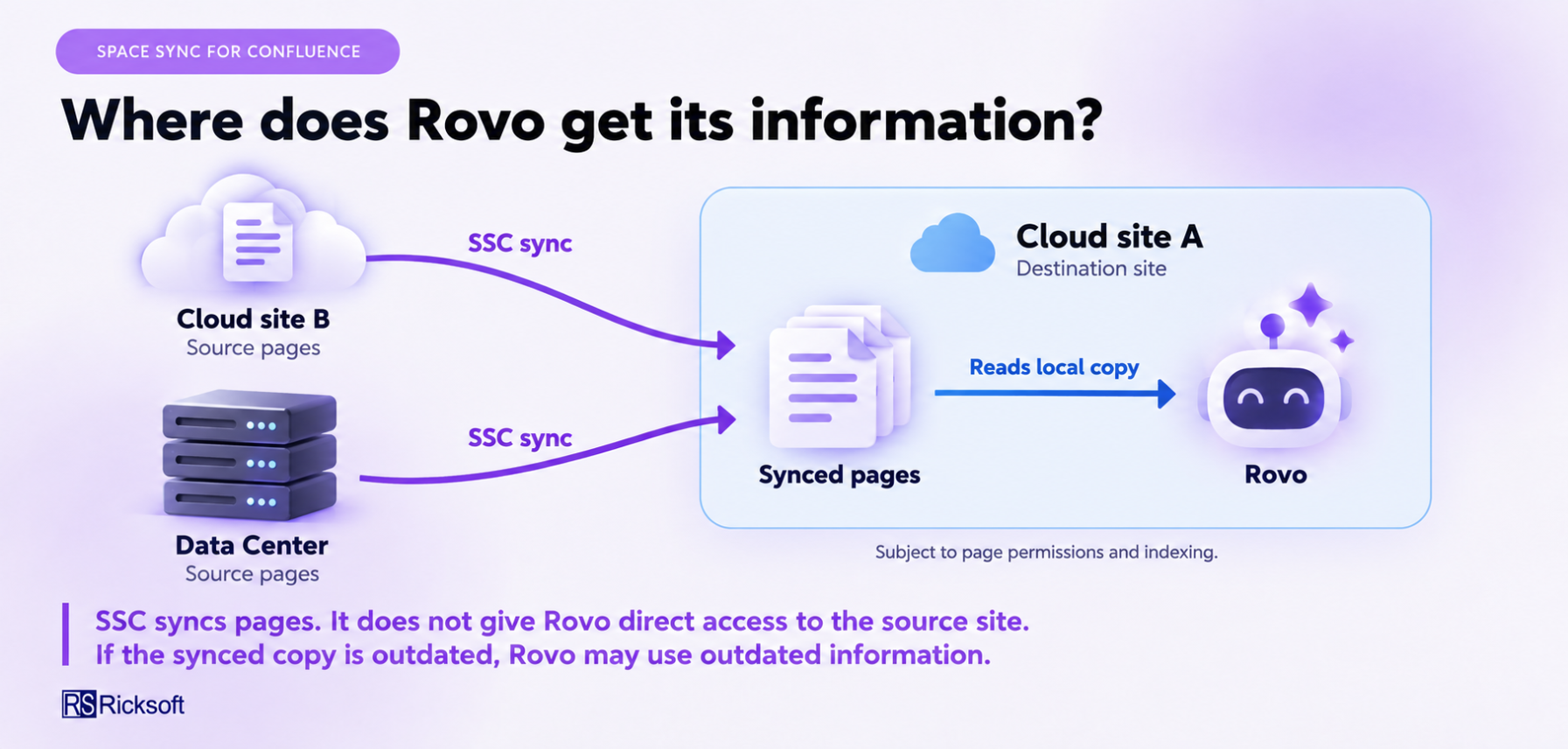
Rovo only can use the synced destination page once its content is available to Rovo. The original page can come from another Confluence Cloud site or a Data Center environment.
For example, you can sync a policy from a Data Center space to a Cloud space, then ask Rovo to summarize the Cloud copy.
Current limitations
-
Connecting an external site through Space Sync does not grant Rovo access to search that external site.
-
Rovo may use an outdated destination page if the latest source changes have not synced.
-
Automatic sync does not guarantee that Rovo always has the latest information. Failed or pending syncs and delays before Rovo picks up changes can affect its answers.
-
Rovo may not warn you that the destination page is outdated.
-
Syncing a page does not automatically make all embedded macros or attachments readable by Rovo.
How to keep answers up to date
Check the destination page and its sync status before relying on an answer about recently changed information. If needed, sync the latest changes and allow time for Rovo to pick them up.
|
Example |
What Rovo may use |
|---|---|
|
The latest policy has synced to your Cloud site and is available to Rovo |
The updated policy |
|
The source policy has changed, but the destination has not synced |
The older destination policy |
|
The destination has updated, but Rovo has not picked up the change |
Earlier information |
|
The policy has never been synced to your site |
The Space Sync connection alone does not make it available there |
Future plans
Potential future improvements would help you check the freshness of synced information before using it with Rovo. These could include:
-
Making the source page and last successful sync time easier to identify on destination content.
-
Highlighting failed or pending syncs so you can resolve outdated copies sooner.
-
Providing readable sync details that a future Rovo integration could use when answering questions about a page.
These are possible future directions, not committed releases yet. If you have any feedback, submit it through our JSM here: Ricksoft Support Portal