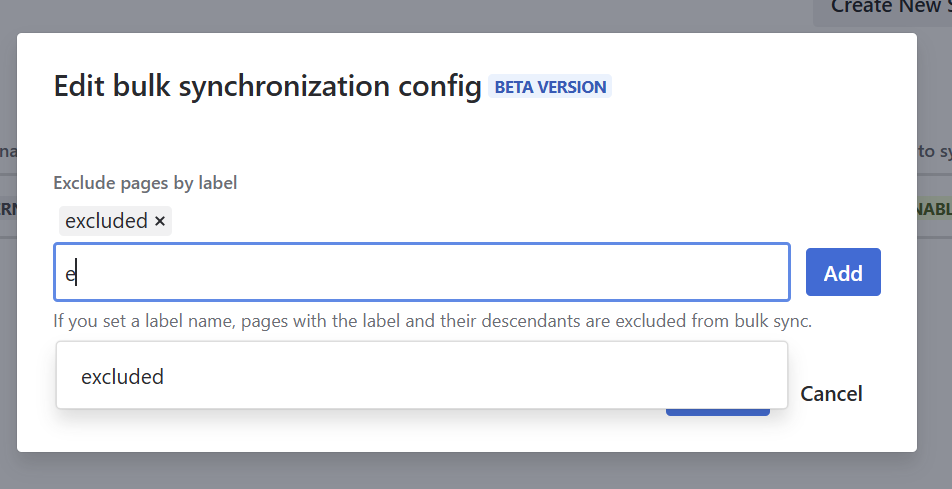
Space Sync for Confluence supports bulk synchronized pages in a space.
Space administrators can set a label to filter pages to be synced and whether or not blogs will be synced.
How to Configure Bulk Sync Settings
-
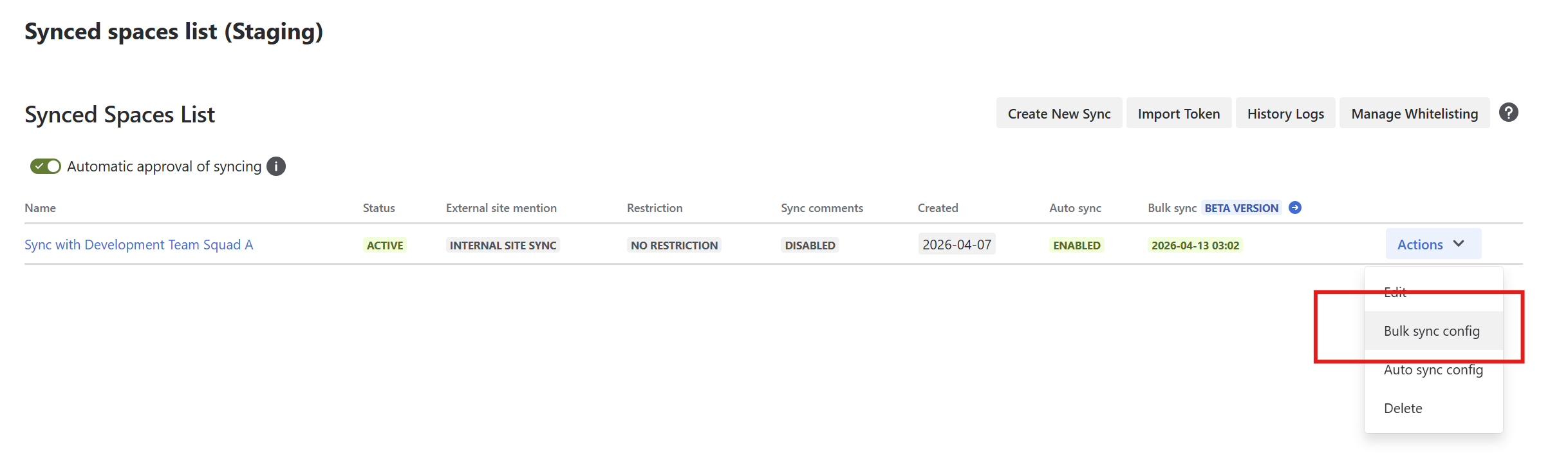
Open Synced spaces list from the space settings page.
-
Open the bulk sync config dialog of a space sync entry.
-
Configure bulk sync settings and submit the settings.
How to Exclude Contents on Bulk Syncing Execution?
-
Open the Action dropdown menu.
-
Select Bulk Sync Config.
-
In the configuration screen, search for and select the labels assigned to content. All content associated with the selected labels will be excluded from the bulk sync.
-
Click Submit to apply your changes.