
The Quick Calculations on Selection feature instantly displays standard calculations (sum, average, min, and max) whenever you select multiple numeric cells in the Excel-like Bulk Issue Editor.
This allows you to analyze Jira issue data quickly, without copying values elsewhere or performing manual calculations.
How It Works
-
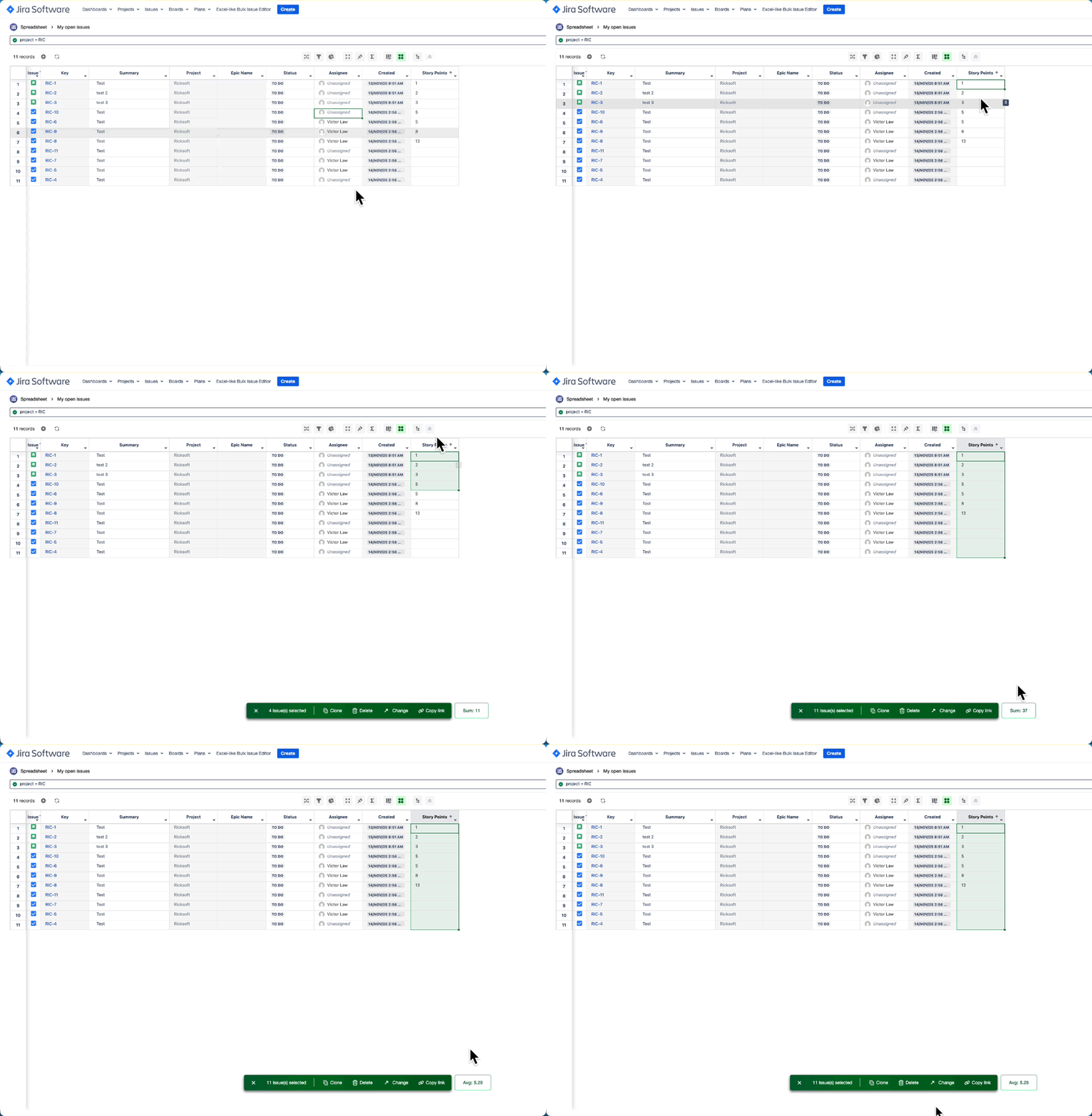
Select numeric cells
-
Highlight one or more numeric cells.
-
You can select across multiple rows, across columns, or even entire columns.
-
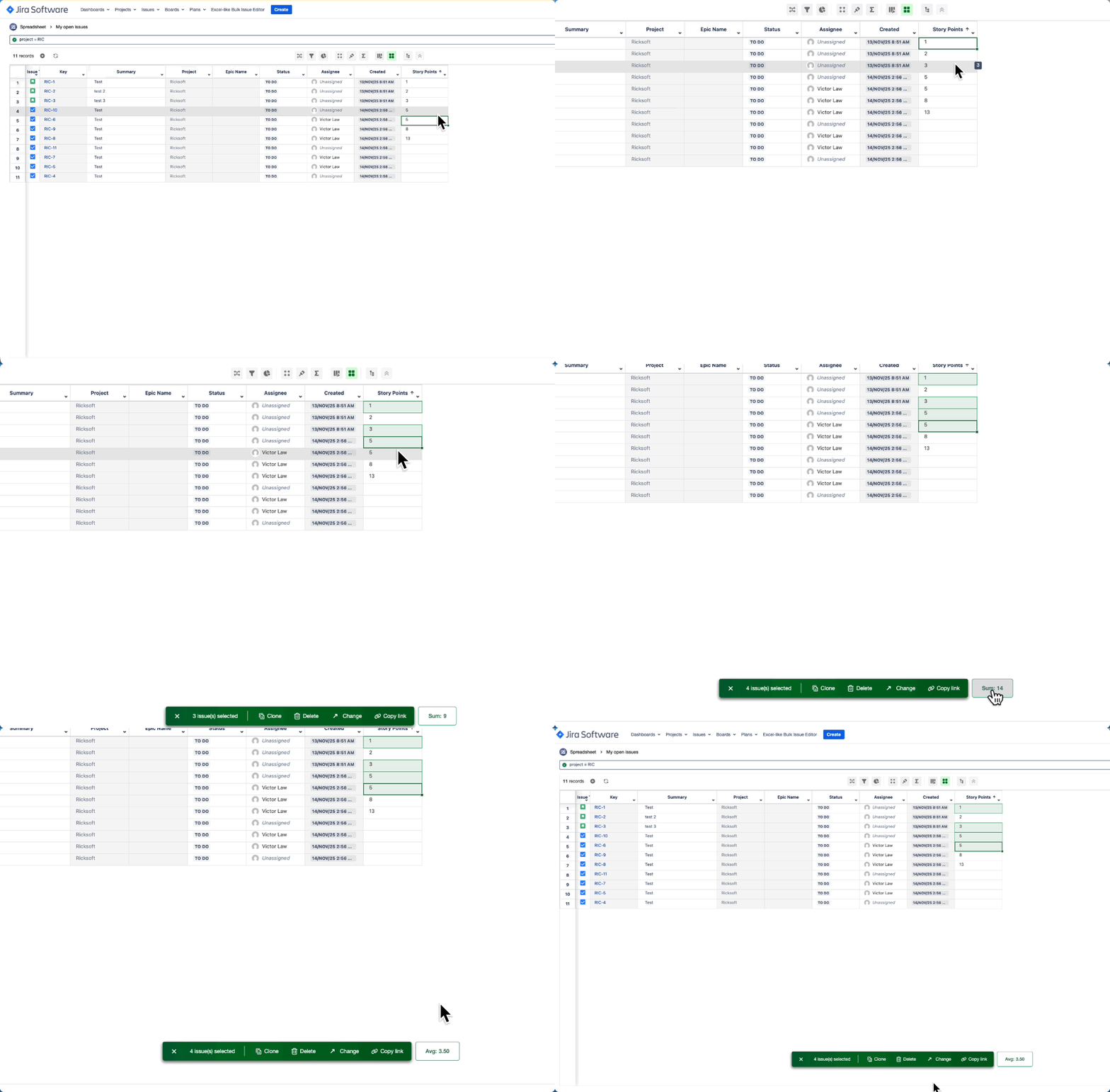
To select non-adjacent cells, hold Ctrl (Windows) or Cmd (Mac) while clicking the cells.
-
-
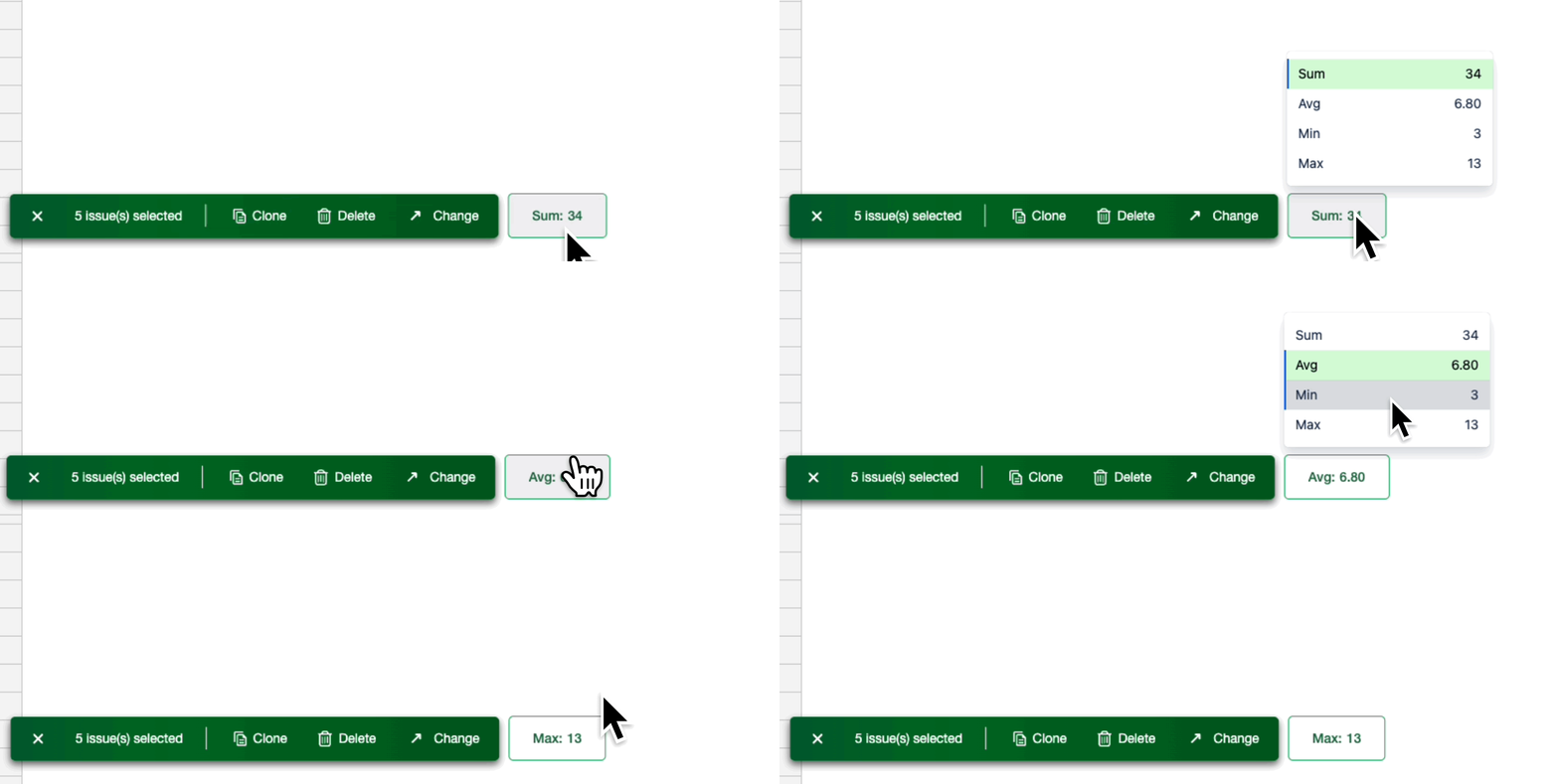
Instantly view calculations with 4 simple calculation options.
-
Sum - Total of all selected values
-
Average - Arithmetic mean
-
Minimum - Smallest value
-
Maximum - Largest value
-
-
Dynamic updates
-
The results update automatically whenever you make a selection change.
-
What to keep in mind
-
Works only with numeric values.
-
Non-numeric cells in the selection are ignored.
-
Not available for selections across multiple fields in the same row of a Jira issue.