Why a Manual Upgrade Is Required for Jira Cloud Apps
Major app upgrades on Atlassian Cloud Apps may require a manual update. Unlike regular updates, Atlassian does not automatically deploy major Marketplace app upgrades because they may introduce new permissions or changes that require administrator approval.
Before upgrading, site administrators should review the new permissions requested by the app and verify that they align with their organisation's security and compliance requirements. Once approved, the administrator can proceed with the update to ensure the app remains secure, compatible, and up to date.
Upgrading the WBS Gantt-Chart for Jira Cloud App
-
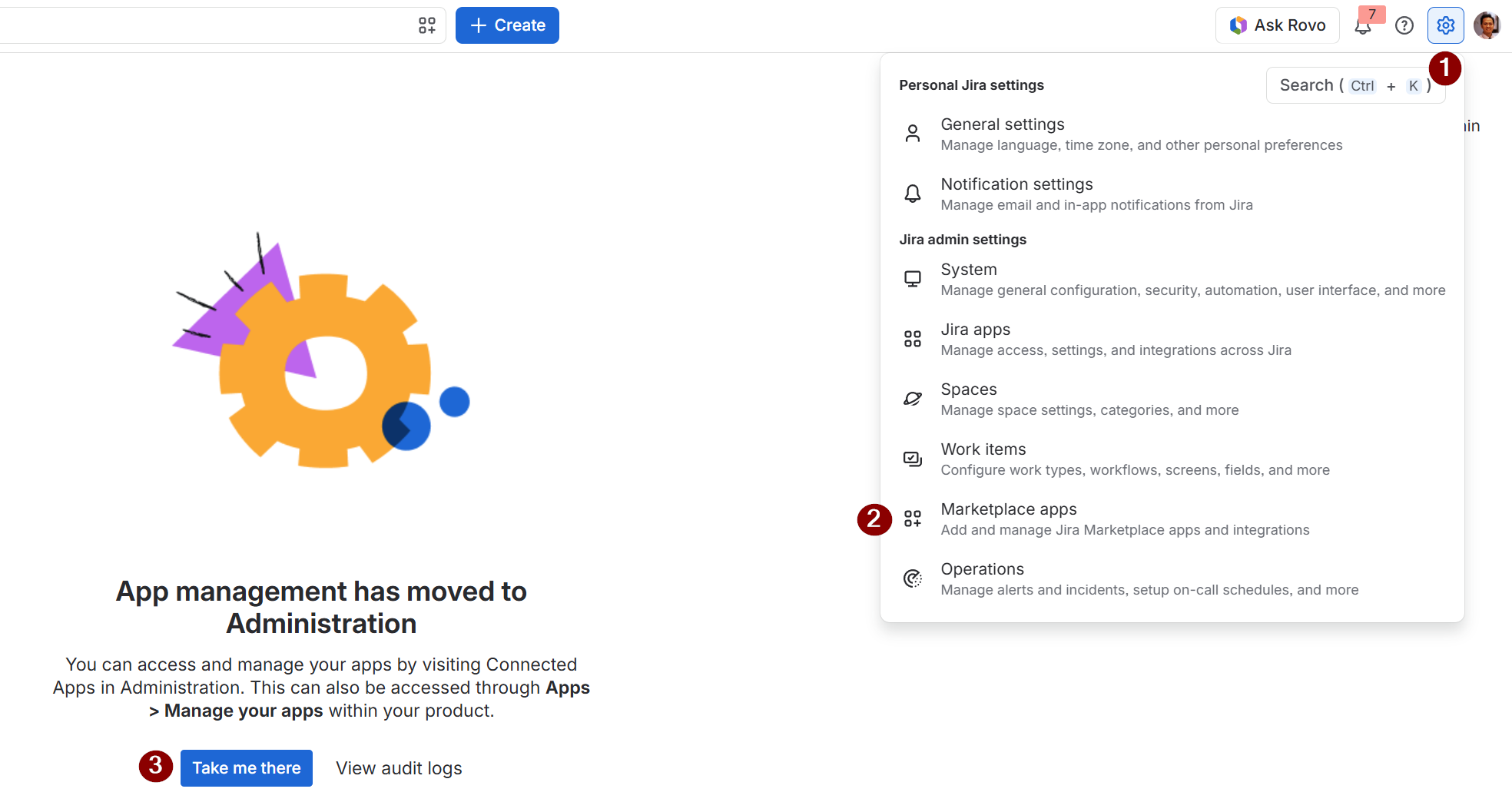
Go to Settings by clicking the cog icon. Navigate to Marketplace apps in Jira.
-
Click on the ‘Take me there’ button
-
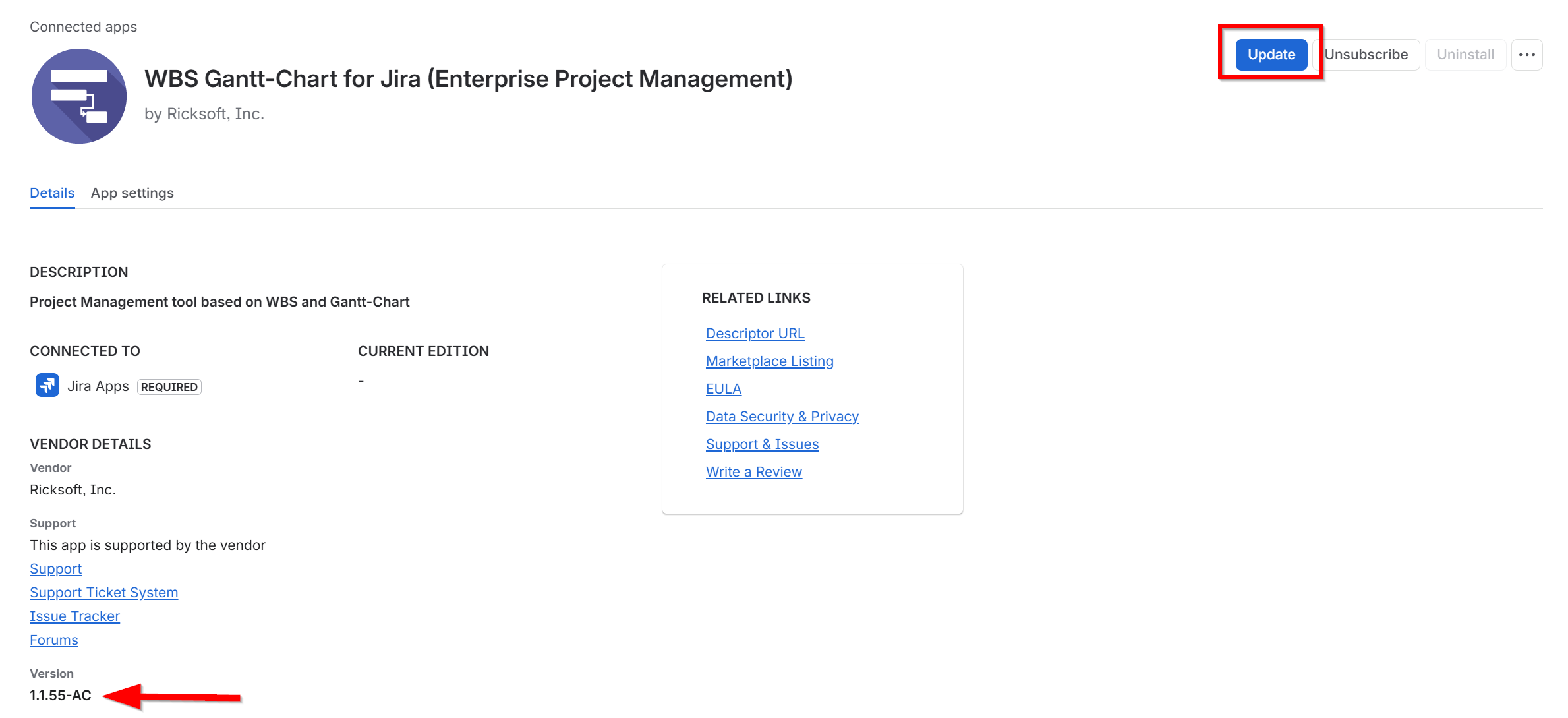
Find WBS Gantt-Chart for Jira (Enterprise Project Management) in your connected apps list.
-
Click on the View app details.

-
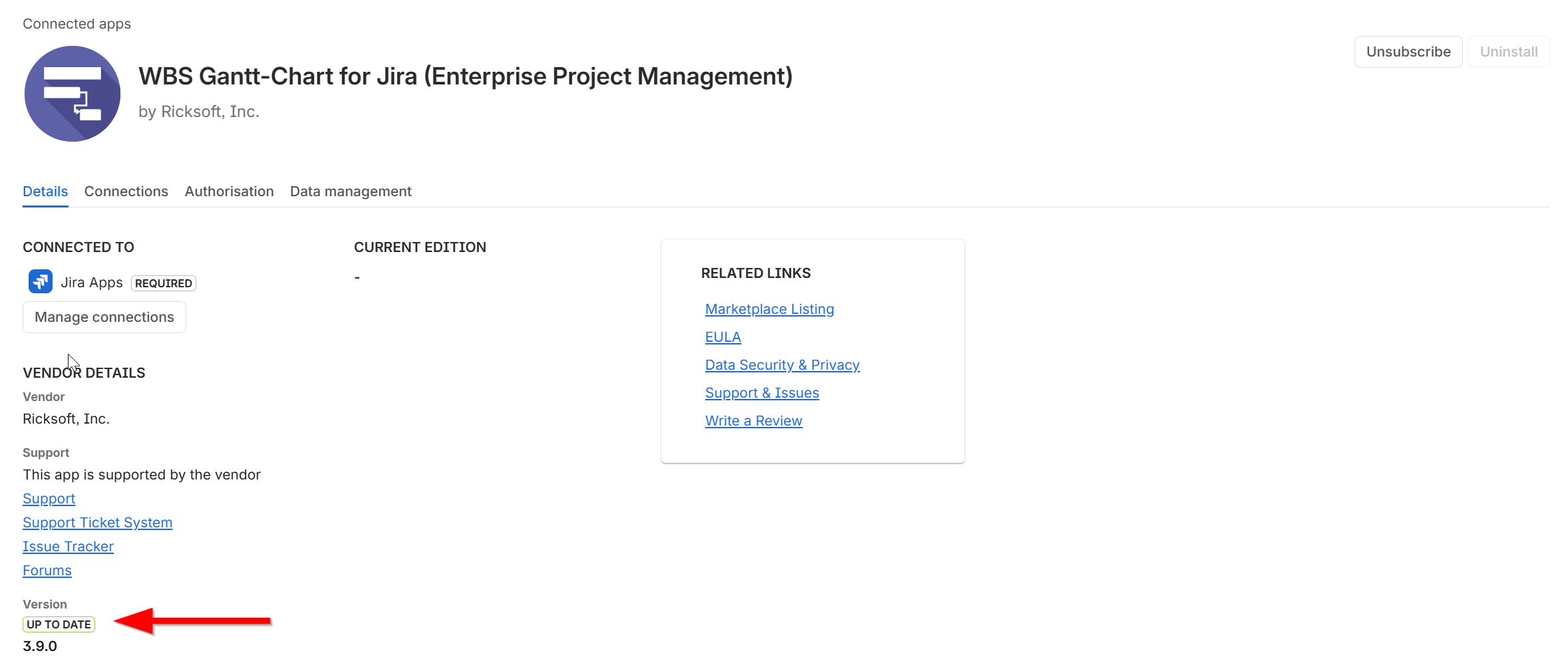
Check the Version section is up to date. If the version is labelled UP TO DATE, no further action is required. Else, click the ‘Update’ button.
-
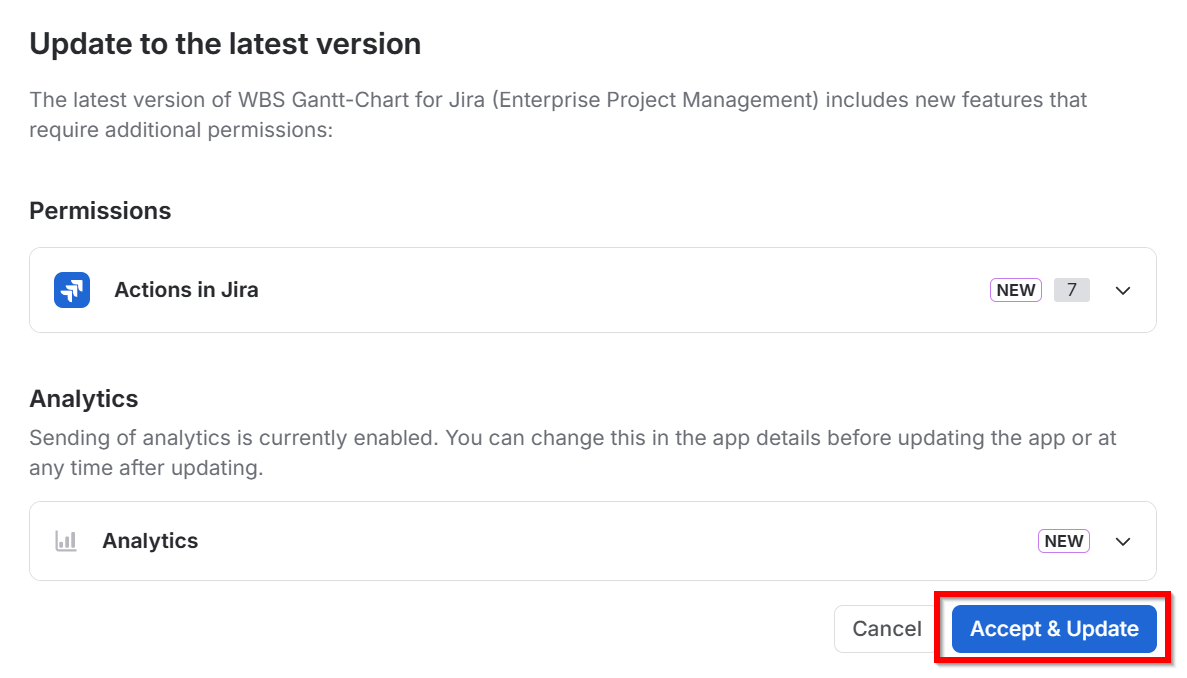
Review the permission changes of exist then click ‘Accept & Update’.
-
Once finished, verify that the Version section displays the UP TO DATE label, confirming that the latest version has been installed.