
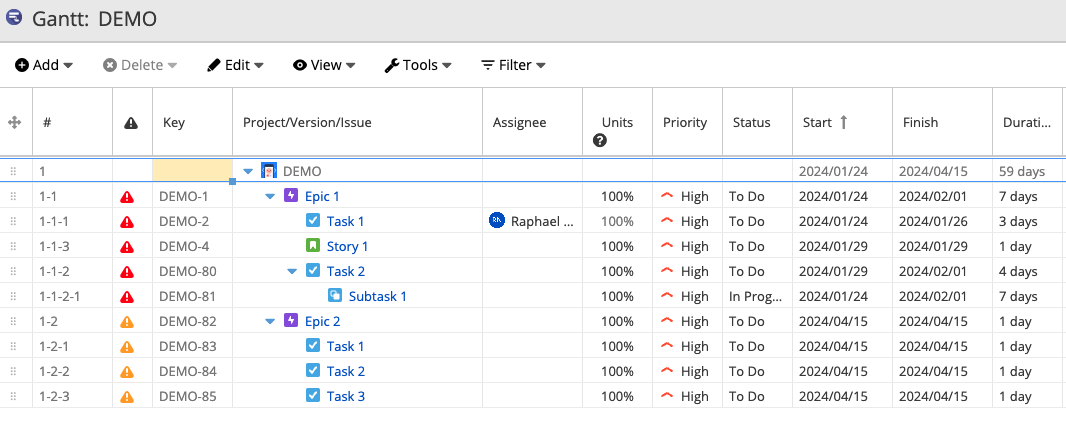
The lines marked in Orange are indicating that WBS Gantt-Chart has found a Circular (or cyclical, recursive, etc.) reference.
This means that a child issue has a dependency link back to its parent.
Consider the structure below as an example:
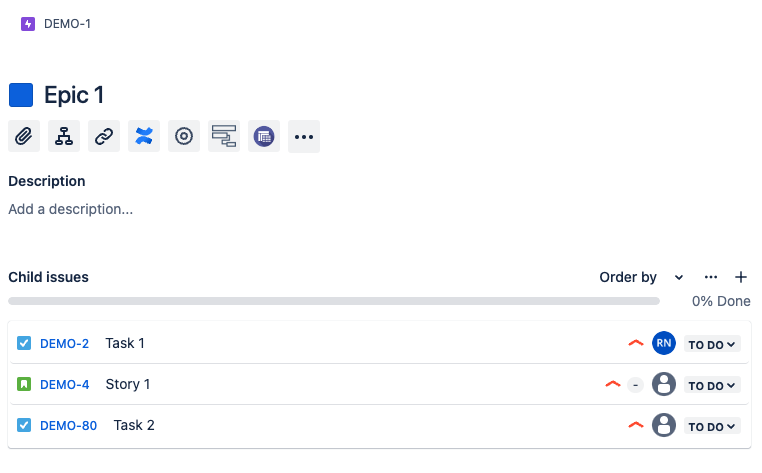
Epic 1 has three dependencies (using Contains issue link) to the issues: DEMO-2, DEMO-80, and DEMO-4.
This means that each issue will have an issue link dictated by the issue link direction:
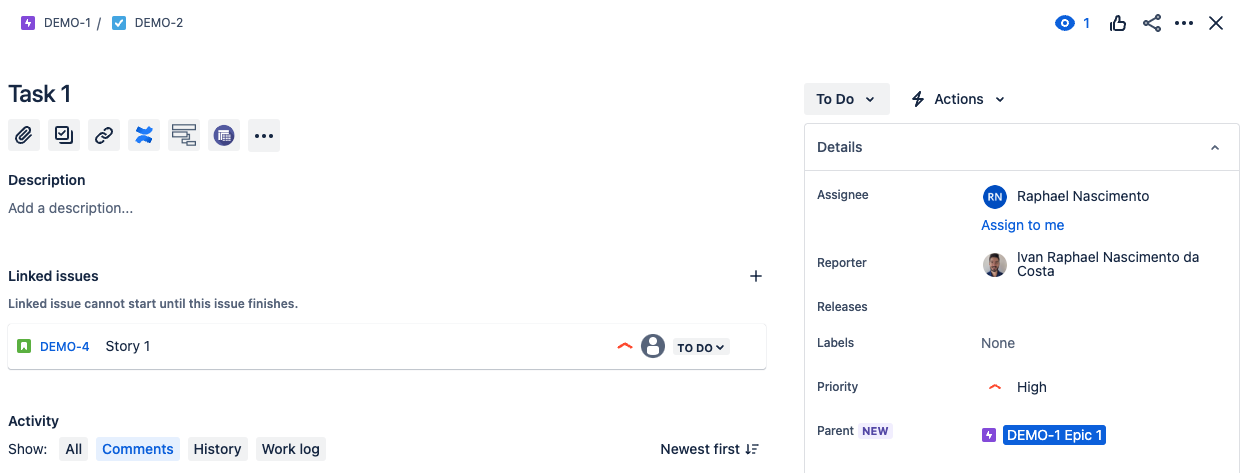
In other words, the “Contains” issue link type dictates who is the parent in the hierarchy:
So if a child task, is told that it is actually a parent of its original issue (you can do this by linking a Child to its original Story using the Contains issue link. In this case, the Subtask 1 is linked to the Epic 1 with the Contains issue link):
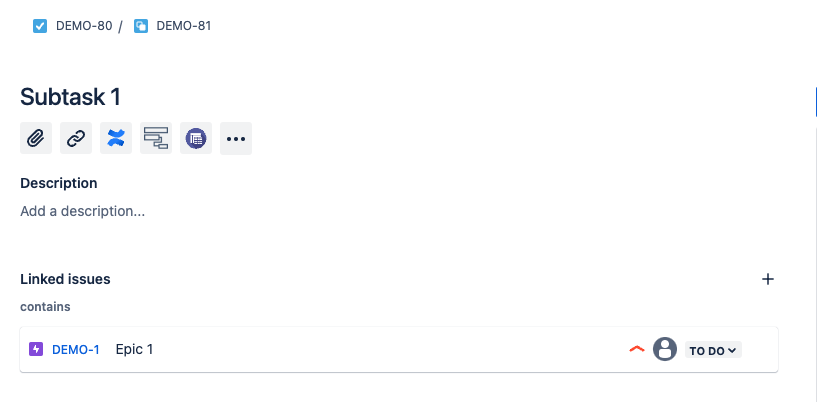
This will create a loop and thus break the hierarchy - in other words, WBS Gantt-Chart will be unable to determine where the hierarchy should begin or end and will alert you of that behavior marking the hierarchy in Orange:
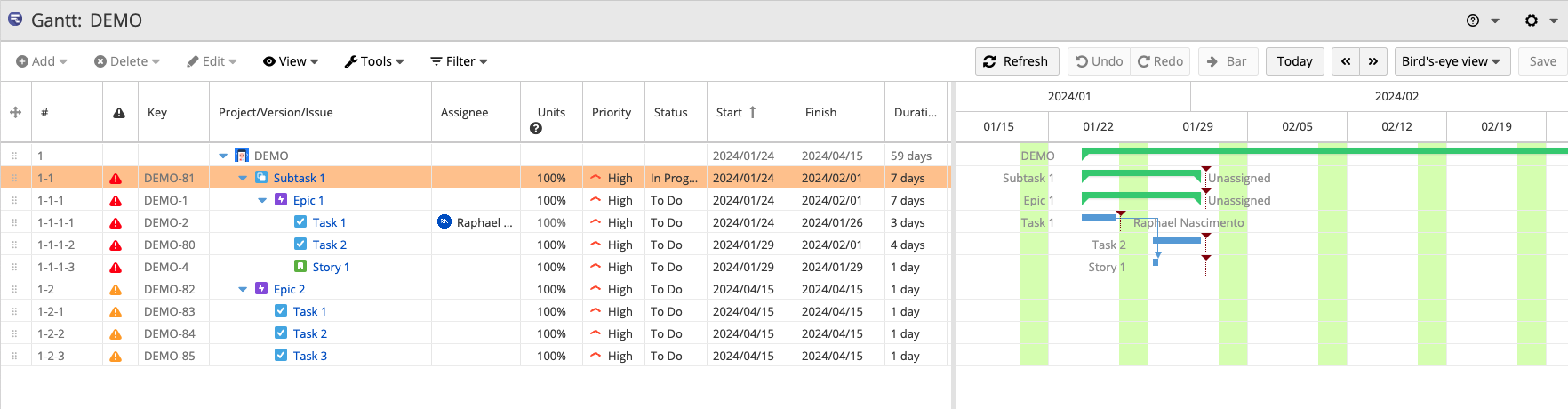
So to fix this, you need to fix the hierarchy. This can be done, by removing unnecessary links.
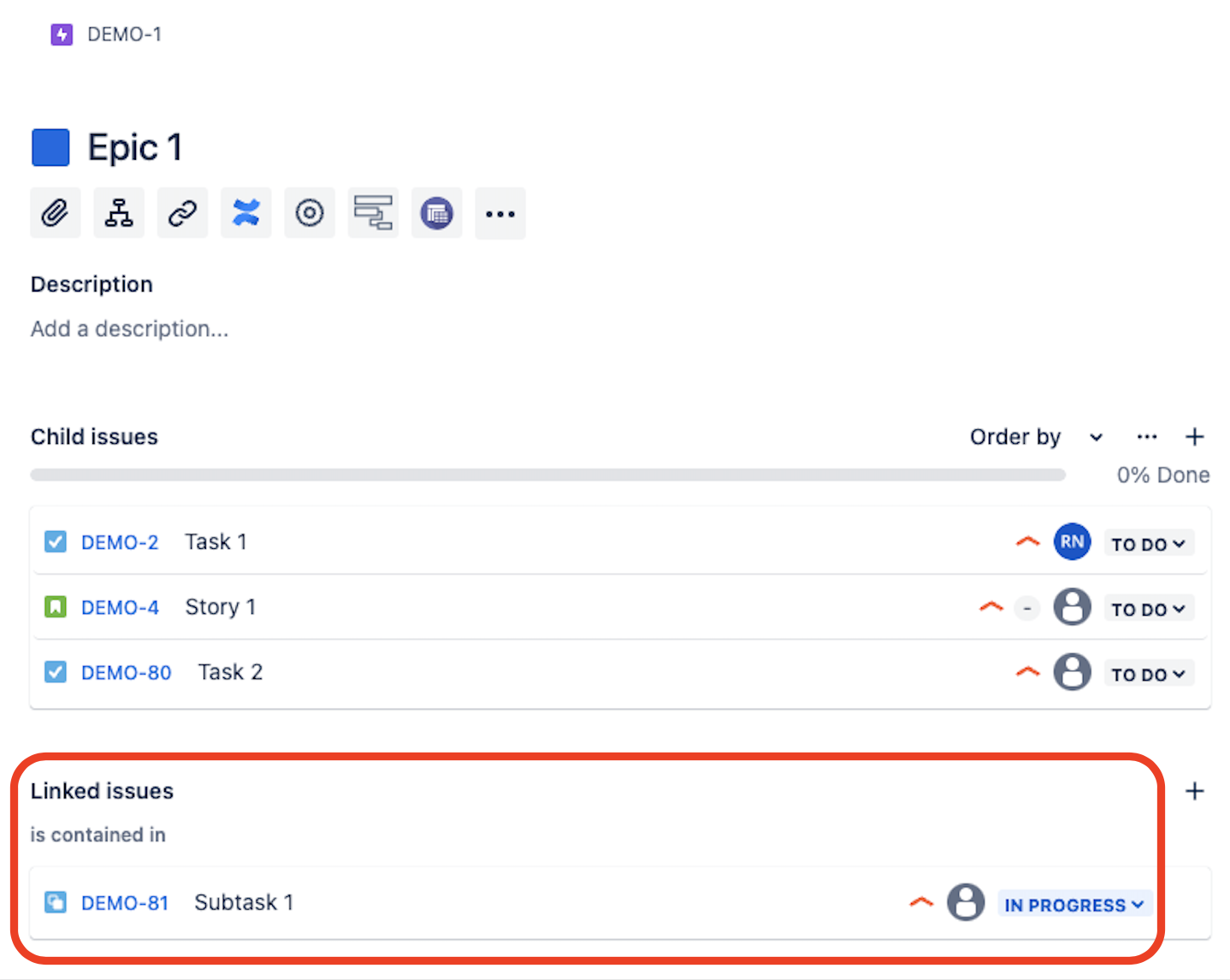
Based on the logic above, no story should have the 'is contained in' link to a Task. So, after removing it:
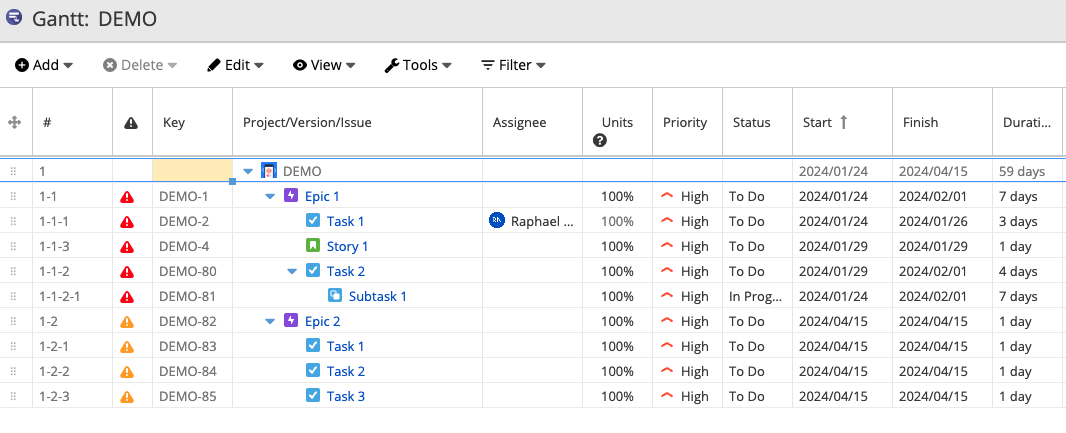
The Gantt-Chart will return to normal.
For any other inquiries or issues, please reach out to us at our Ricksoft Support webpage. We will be happy to help you.