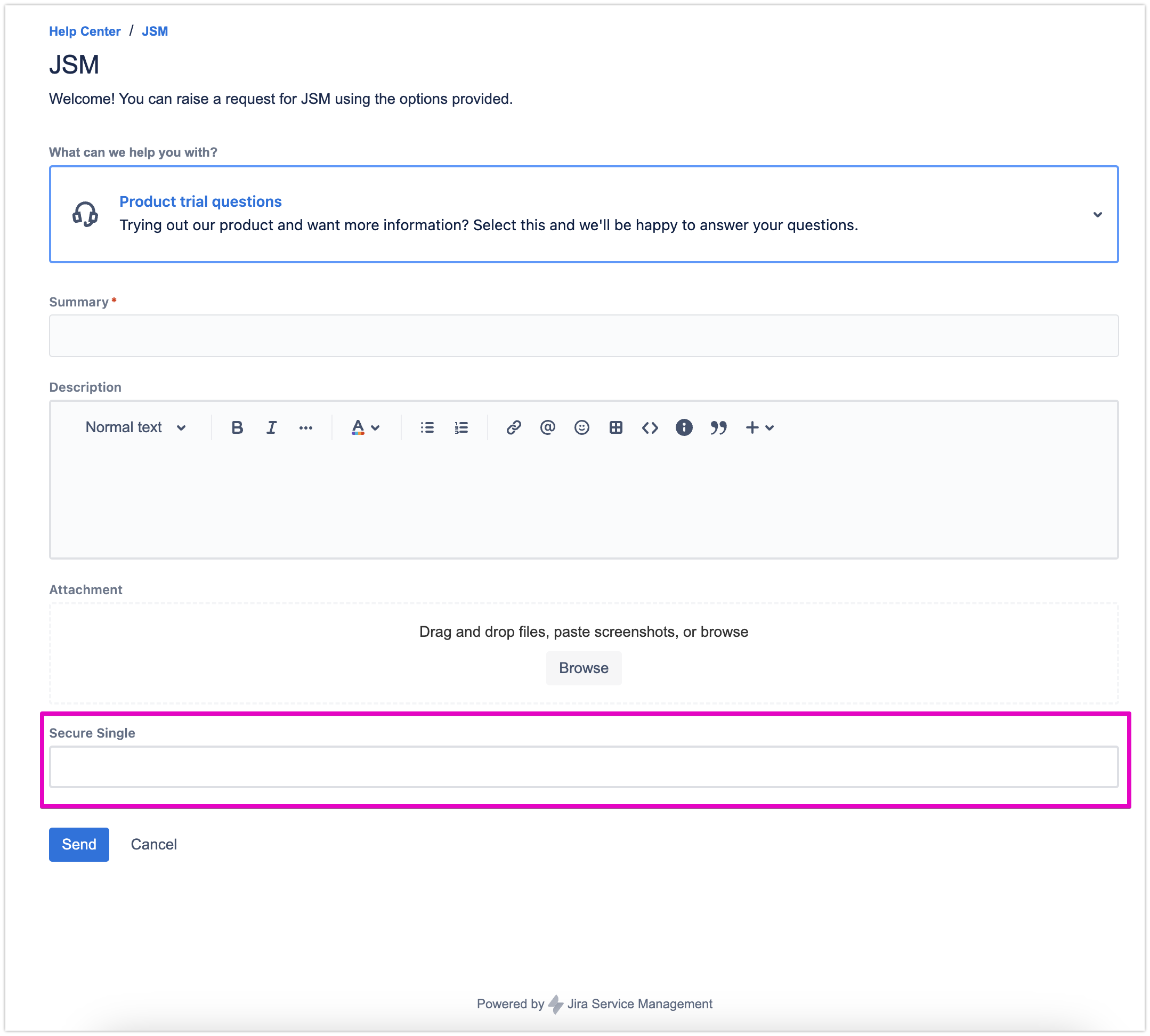
You can configure the request forms to display secure fields on the request portal.
Please note this feature is only available for Company-managed projects.
-
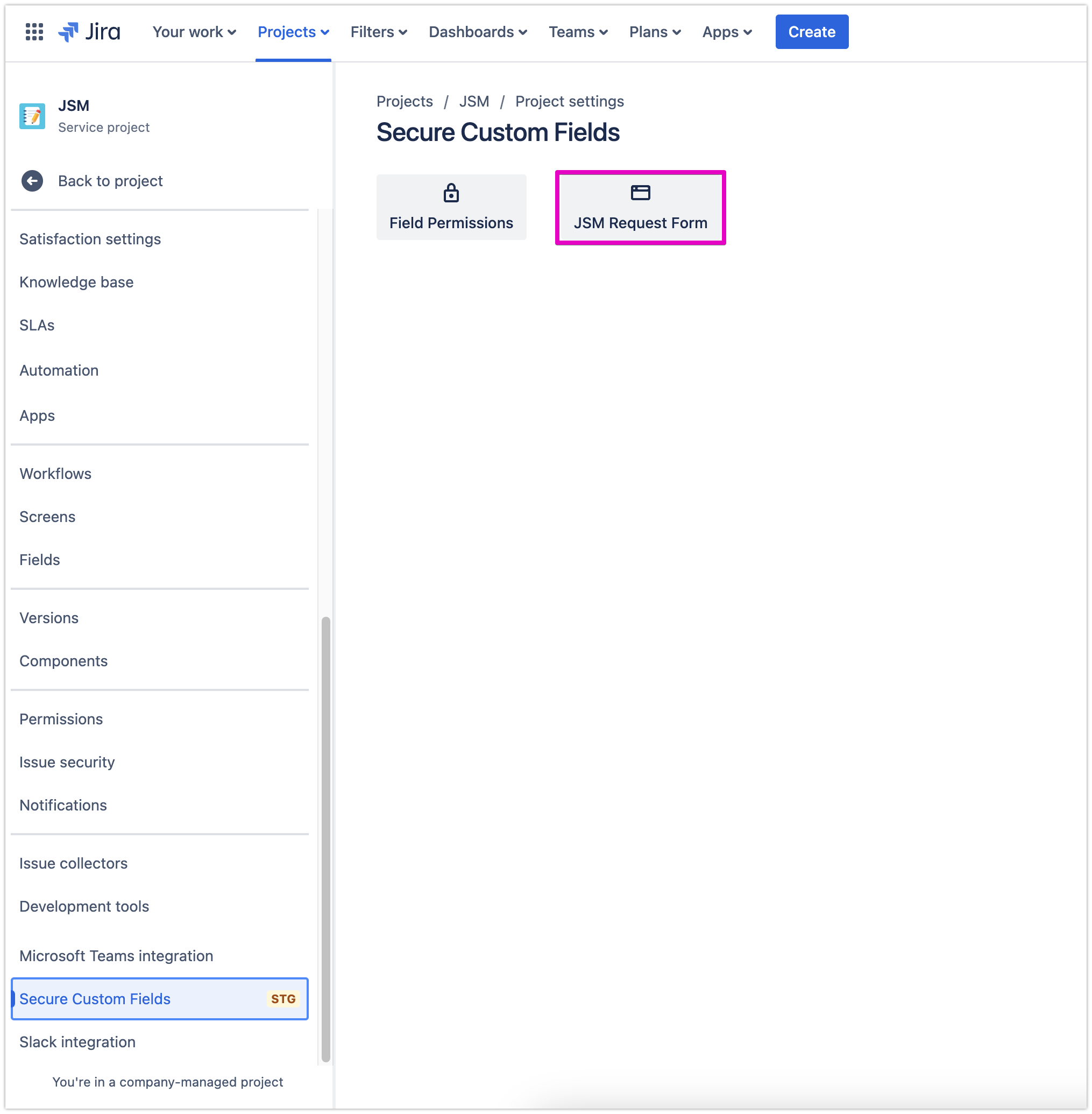
Open your desired JSM project, go to Project settings, select Secure Custom Fields
-
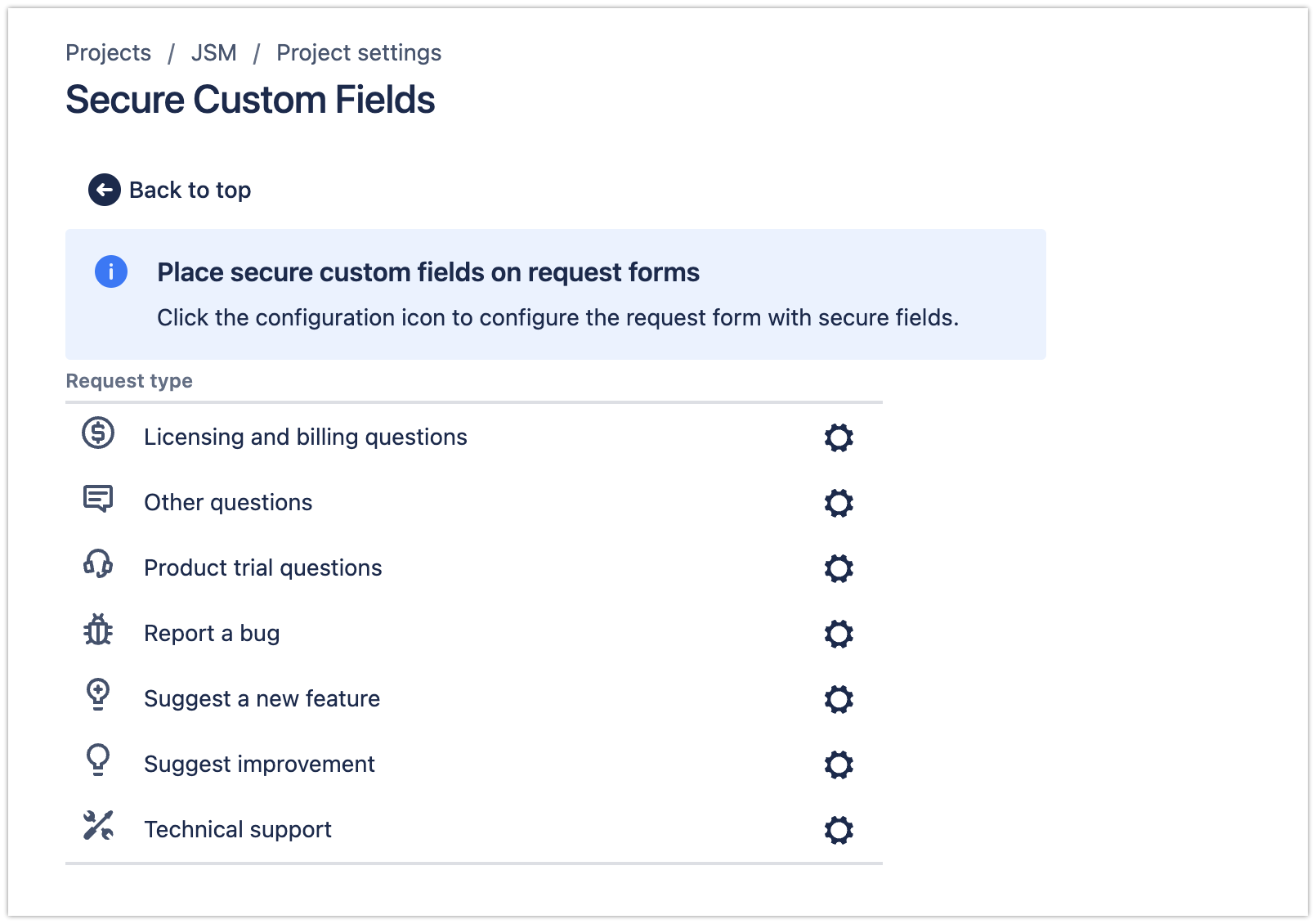
Select JSM Request Form and you’ll see the option to place secure custom fields in respective request forms available in the project
-
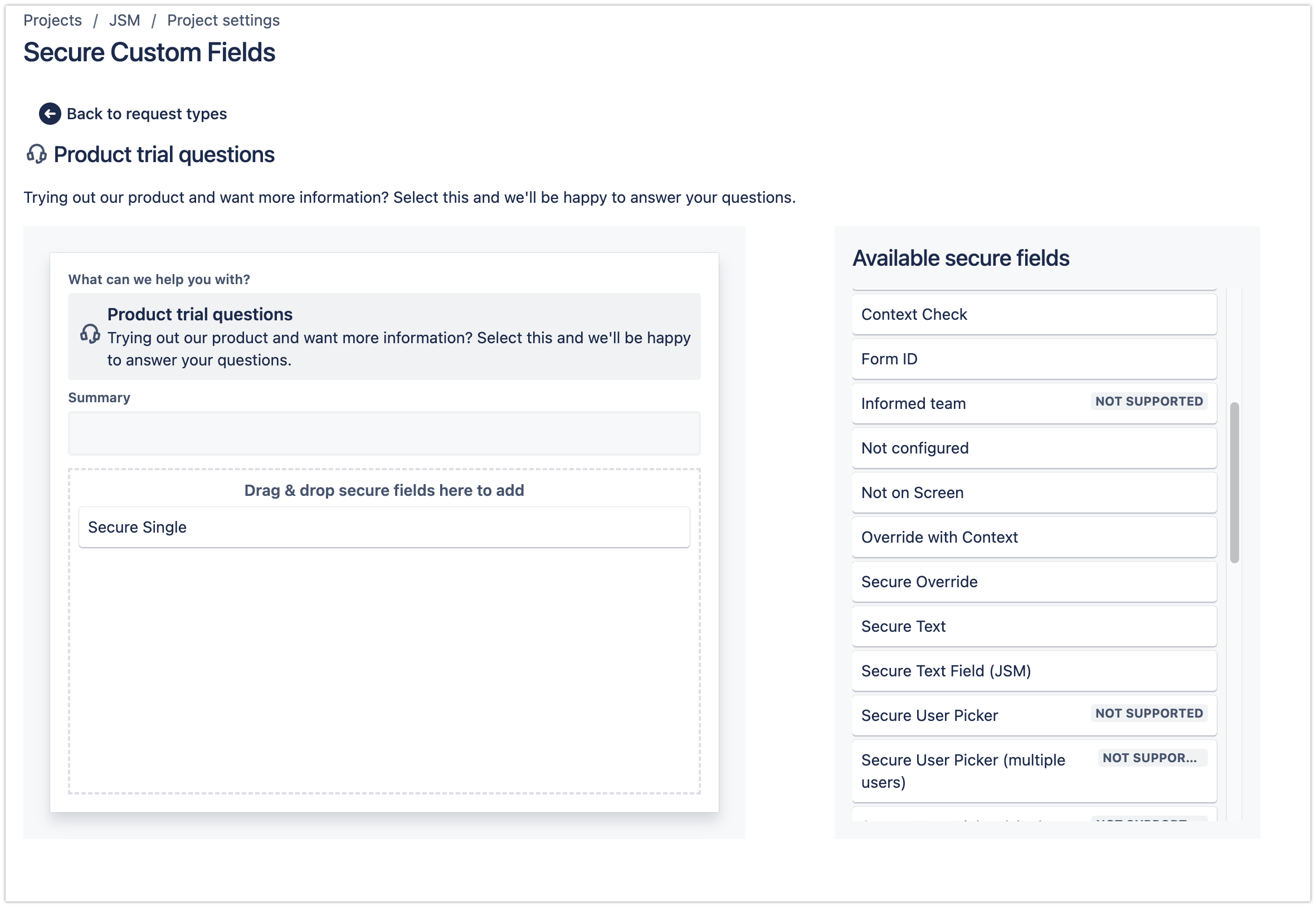
Simply drag-and-drop the secure fields. Please note the User picker field is not supported.
The secure field(s) will be displayed on the request form in portal view