Why a Manual Upgrade Is Required for Jira Cloud Apps
Atlassian Marketplace apps installed on Confluence Cloud may require manual upgrades because Atlassian does not currently provide a universal automatic update mechanism for all Marketplace apps.
Steps for upgrading the Gantt Chart Planner for Confluence Cloud app
-
Go to Confluence administration → Atlassian marketplace→ Manage apps in Confluence
-
Click on the Take me there button
-
Find Gantt Chart Planner for Confluence in your installed apps list
-
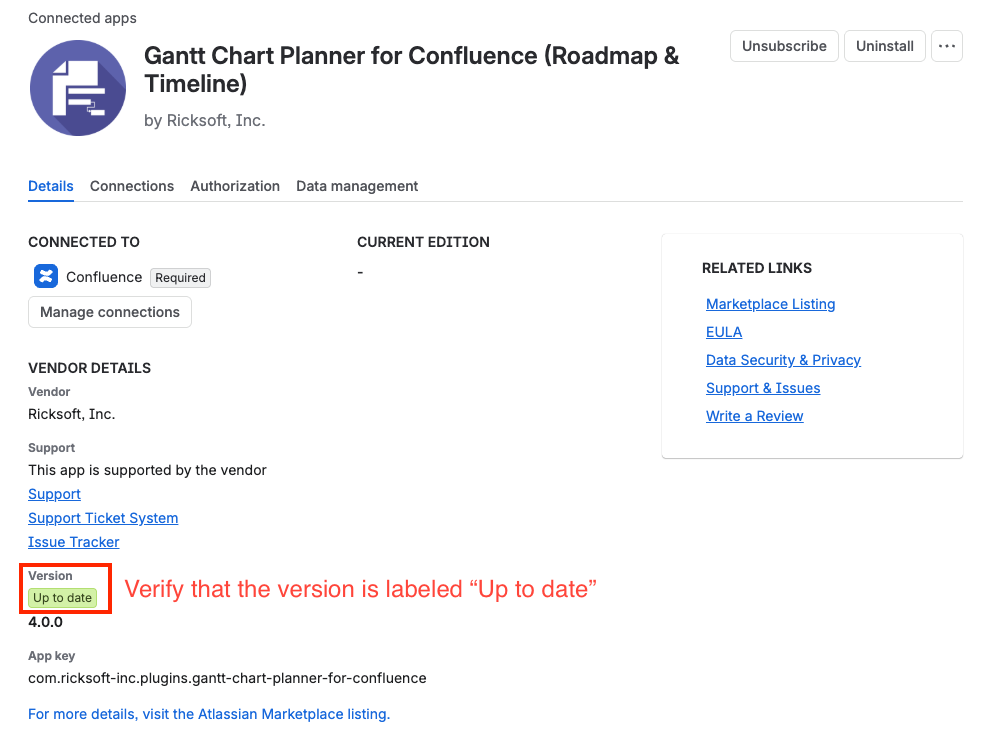
Click on the View app details
-
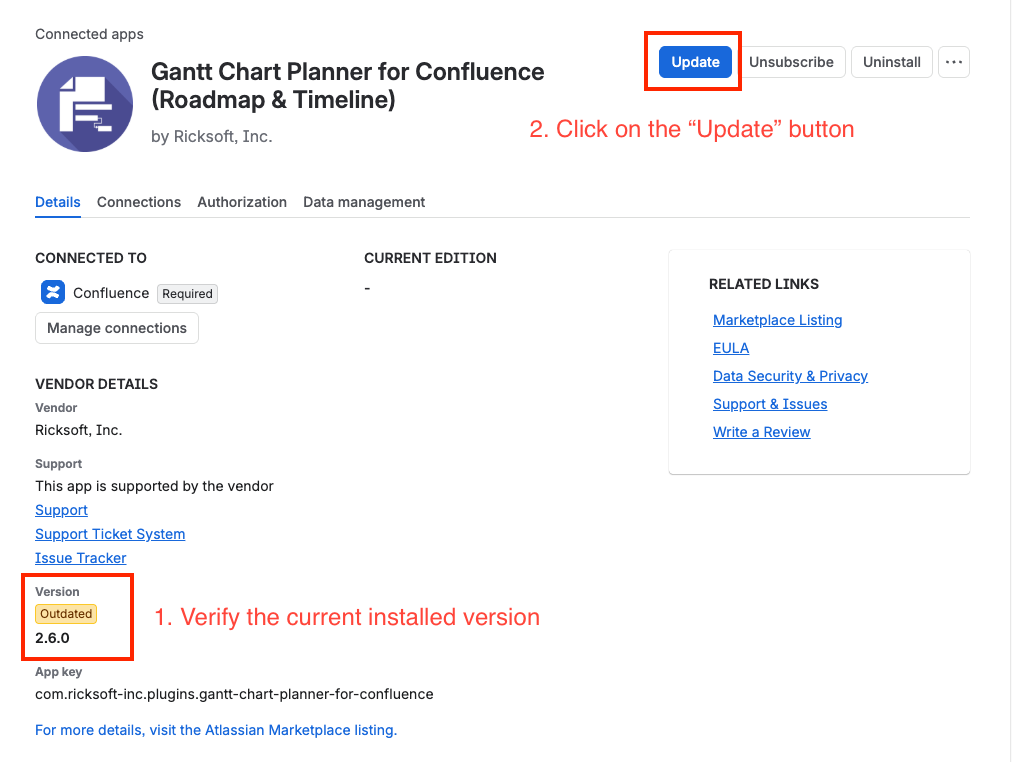
Click Update if available.
-
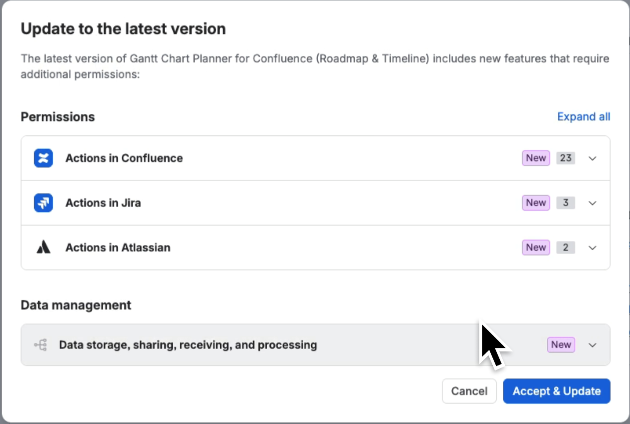
Click on the Accept & Update button.
-
Refresh, and you’re on the latest version.