
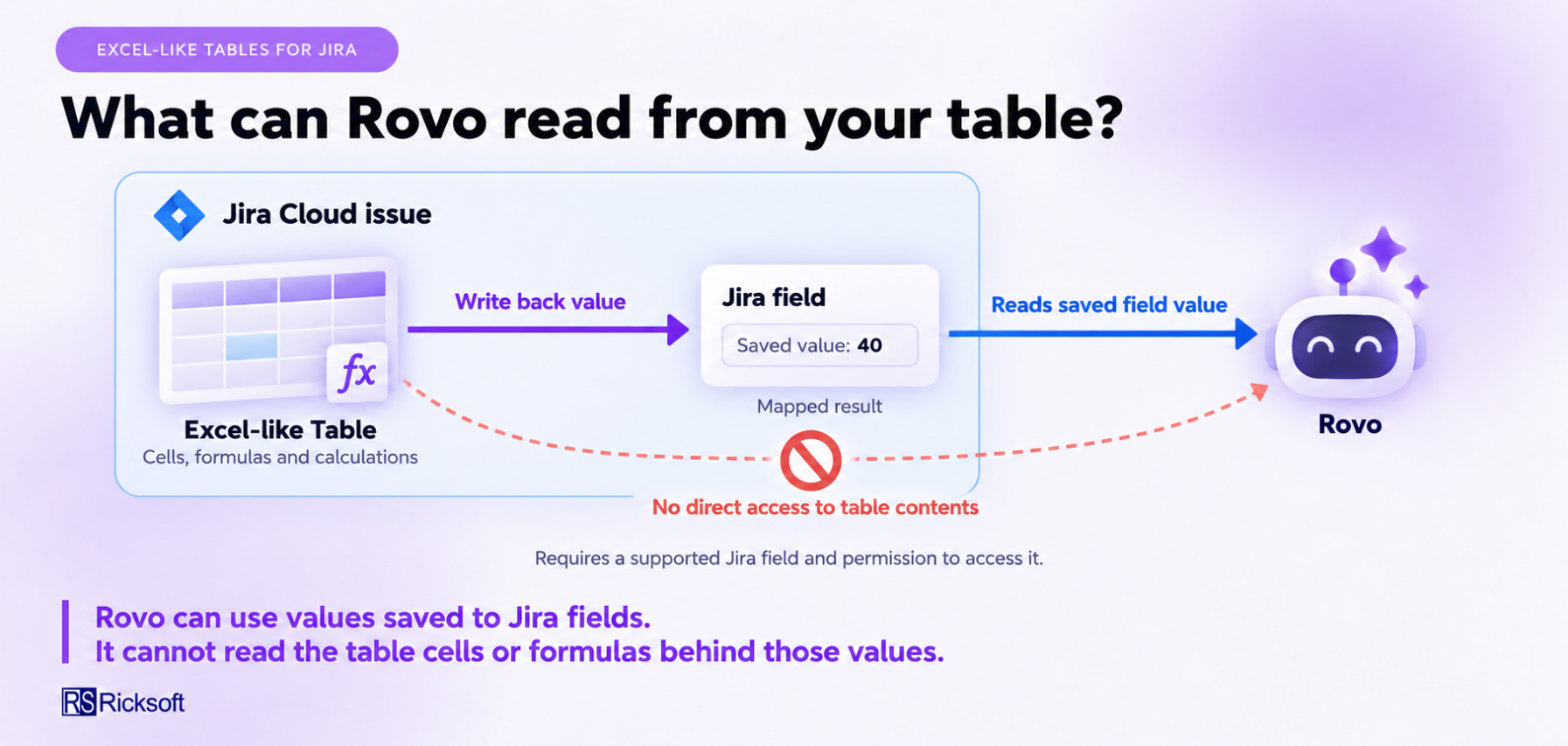
Rovo can use supported values saved to Jira fields through Excel-like Tables for Jira's field mapping. It cannot directly read the contents of your embedded spreadsheet.
When a calculated or selected table value is written back to a Jira field, Rovo can use the saved value if it supports that field and you have permission to access it.
For example, your table can calculate an estimate and write the total to a mapped Jira field. Rovo can use the saved total without reading the individual spreadsheet rows.
Current limitations
-
Rovo cannot directly read table cells, formulas, sheets, or charts.
-
Writing a value to a Jira field does not make the rest of the spreadsheet accessible to Rovo.
-
If the field has not been updated, Rovo may use an earlier value.
-
Availability depends on Rovo's support for the mapped Jira field. Not every custom field is necessarily supported.
How to use it
-
Map the value you want to use to a suitable Jira field.
-
Save your changes and confirm that the Jira field contains the expected value.
-
Ask Rovo about the issue or the saved field value.
See the Excel-like Tables for Jira documentation for more information about field mapping.
Future plan
Potential future improvements would make it easier to use spreadsheet results in Rovo without manually preparing the information. These could include:
-
Creating a readable summary of selected table values for use in the Jira issue.
-
Including calculation context alongside mapped results, so you can understand what a total represents.
-
Supporting questions about selected table data through a dedicated Rovo integration, subject to access permissions.
These are possible future directions, not currently available features or committed releases. For now, use Jira field mapping to make supported results available to Rovo.
If you have any feedback, submit it through our JSM here: Ricksoft Support Portal