
Overview
On 26 February 2026 at 07:04 AM (UTC), we identified an issue that rendered the application inaccessible. Users were unable to load or interact with spreadsheet content.
The root cause was a license validation error that prevented spreadsheet components from rendering properly, resulting in a temporary service disruption in affected environments.
No customer data was lost or corrupted. The impact was limited to the user interface rendering layer.
REQUIRED Customer Action – Immediate Upgrade
All customers must upgrade to the fixed version immediately to prevent continued service disruption.
Please upgrade according to your Confluence version:
-
Confluence 10 and above: Upgrade to v2.0.2
-
Confluence 7.0 – 9.x (including Data Center): Upgrade to v1.2.9
Environments that remain on affected builds will continue to experience service outage behavior.
We strongly recommend performing the upgrade as soon as possible to ensure system stability and prevent further impact.
Scope and symptoms
-
Scope: Affects environments running the legacy third‑party spreadsheet component embedded in the app on the affected Confluence versions listed above.
-
Primary symptom: Sheets fail to load; a message referencing an expired license key appears; pages relying on the grid become non-functional.
-
No data loss: Underlying data remains intact; only the UI rendering is blocked by the library’s license gate.
Root cause analysis
The Excel-like Tables for Confluence Application included a time-bound deployment key for a third‑party component that is subject to periodic renewal. The packaged key was beyond its validity window, and the runtime check in the library halted rendering. Environments without timely updates inherited the expired token.
Temporary workaround
If you cannot upgrade immediately, we strongly recommend applying the following temporary workaround to restore basic page availability:
-
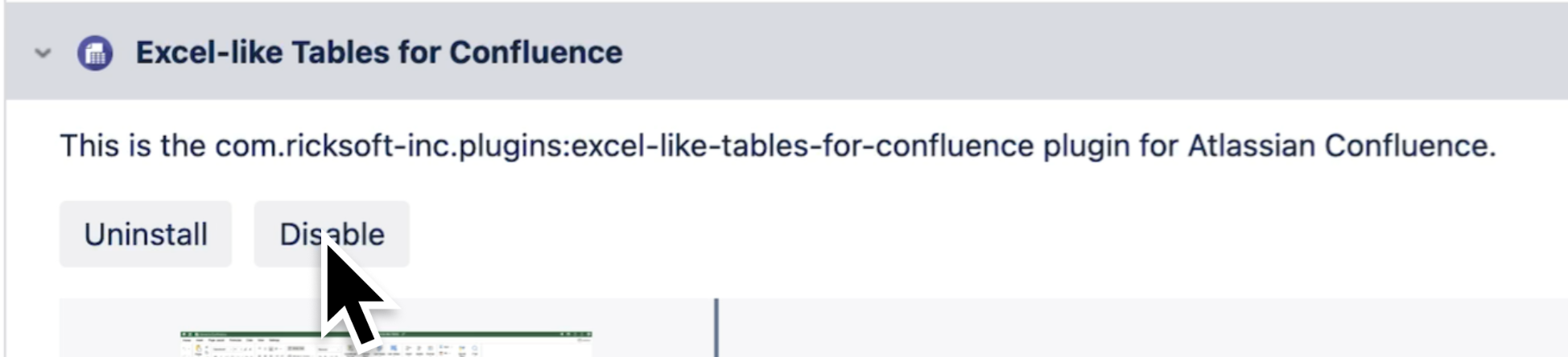
Disable the app temporarily
-
In Jira/Confluence administration, navigate to Manage apps.
-
Locate the Excel Like Tables For Confluence plugin and disable it.
-
This will prevent the broken spreadsheet component triggering any unexpected autosave
-
-
Re-enable the app after upgrade
-
As soon as you are able, upgrade to the fixed version
-
re‑enable the app and confirm that sheets render normally and no license error appears.
-
Limitations and Expectations While Disabled
-
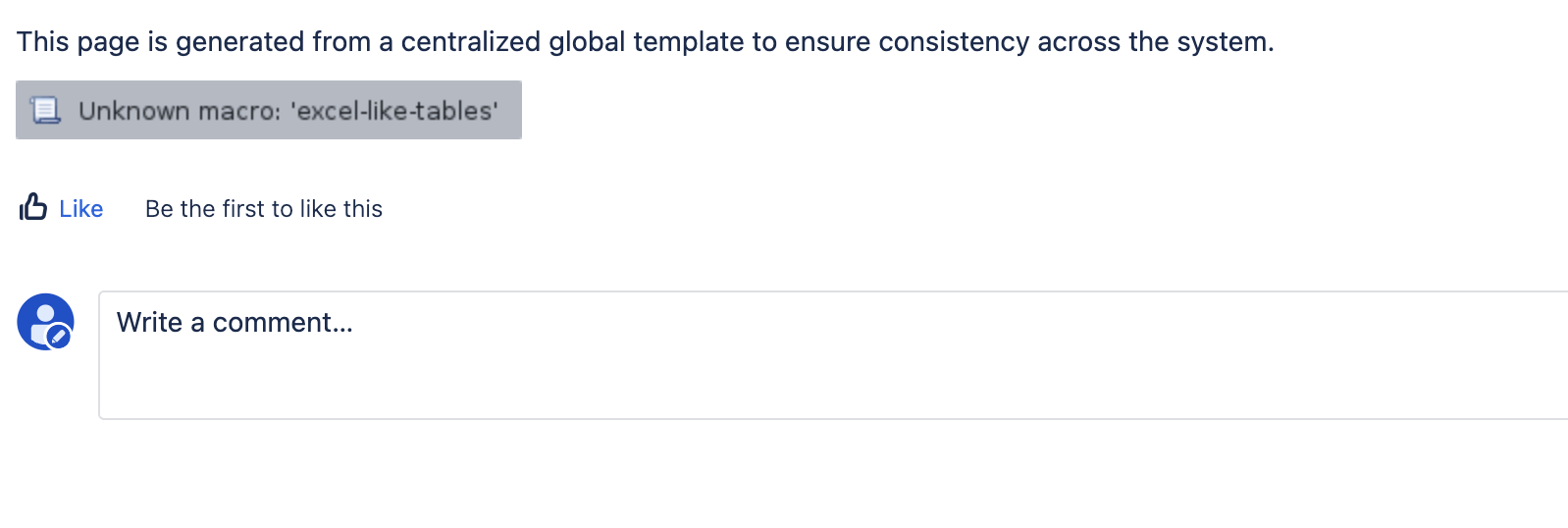
Expected behavior while disabled
-
Pages that previously displayed the spreadsheet will no longer show the macro
-
Other page content will remain accessible.
-
No additional data overwrite or corruption will occur during this period; the workaround only affects the UI layer provided by the app.
-
-
Limitations of the workaround
-
Users will not be able to interact with the spreadsheet until the app is re‑enabled on a fixed version.
-
Any features that depend on the spreadsheet (calculations, inline editing, etc.) will be unavailable.
-
Verification checklist
-
App version matches the appropriate fixed build for your Confluence version:
-
Confluence 10 and above: v2.0.2
-
Confluence 7.0 – 9.x (including Data Center): v1.2.9
-
-
No license error banners on load related to the embedded spreadsheet component.
-
Sheets render with expected data and formatting; editing and saving succeed.
Support
If you encounter issues during the upgrade, please raise a ticket in our support portal:
https://ricksoft-support.atlassian.net/servicedesk/customer/portal/33/group/73/create/279
We will help ensure the upgrade proceeds smoothly.
FAQs