
Overview
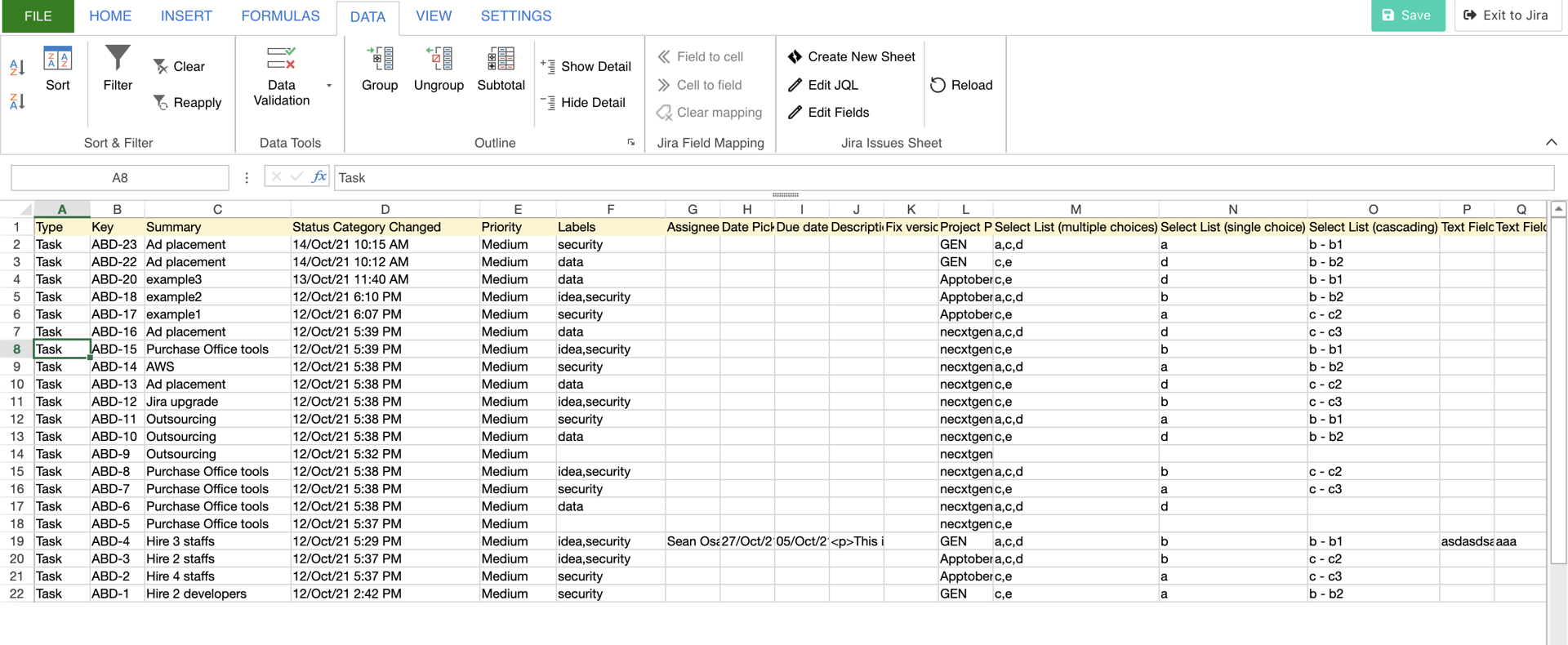
This feature imports Jira issues into the specialized sheet, Jira Issues Sheet for it.
So, it allows you to make use of the contents for a data source.
To create the sheet, in any sheet, press 'Create New Sheet' in the Data tab - Jira Issues Sheet menu group (see the following section).
It will create Jira Issues Sheet as a new sheet.
Menu Items

The “Data” tab has the menu group for Jira Issues Sheet.
|
|
Menu item |
The behavior of the item |
|---|---|---|

|
Create New Sheet |
|

|
Edit JQL |
|
|
|
Edit Fields |
|

|
Reload |
|
How to move a column
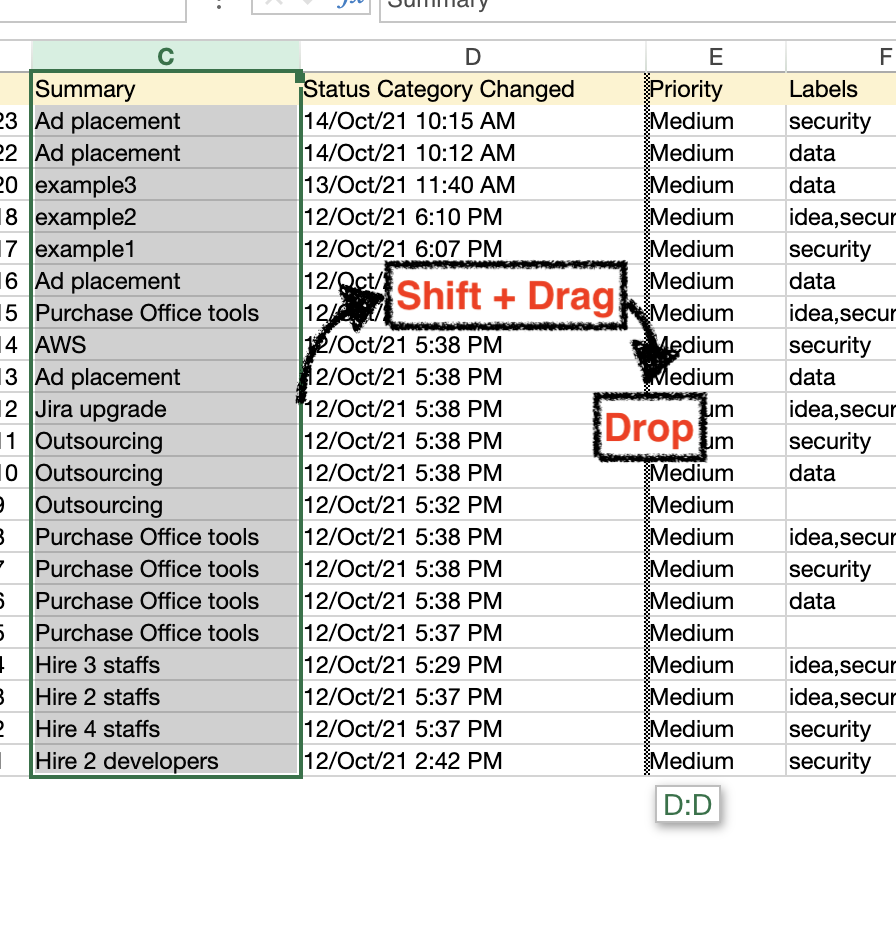
The following instructions allow you to move a column to other columns.
-
Select the whole column you want to move
-
Drag the selection rectangle with pressing the Shift key to the point of a target column
-
Drop it
Restrictions & Tips
-
In rich text fields, it shows string includes HTML tags
-
If you save as ssJSON format, it stores the information of JQL and Jira fields
-
The data will be lost in other formats
-
-
This feature doesn’t support editing Jira issues. However, for bulk-editing Jira issues, this app(Excel-like Issue Editor for Jira) is suitable for it.