
Overview
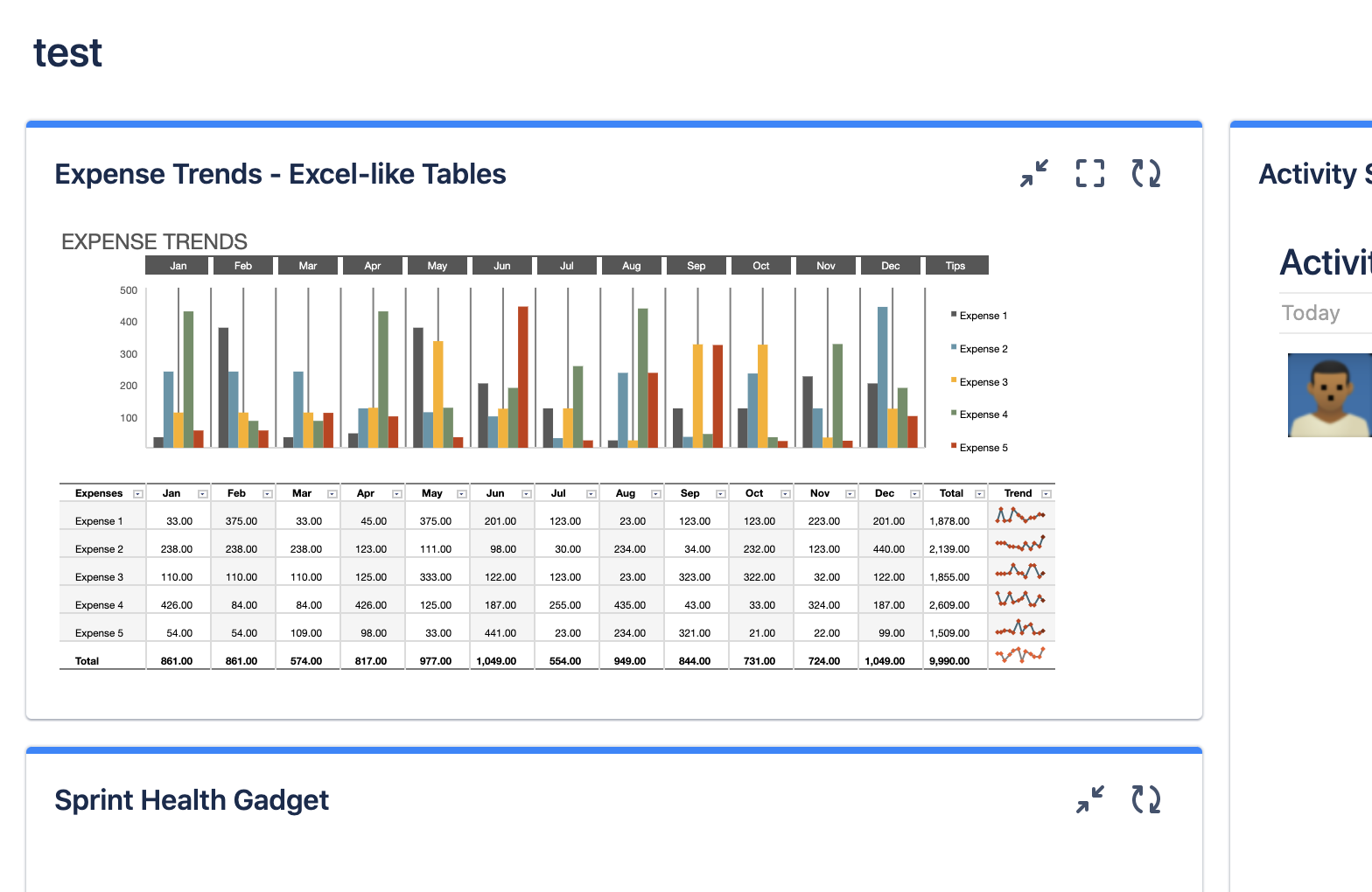
The table gadget allows displaying the table of a specified issue on your dashboard.
Configure Options
In the configure mode of the gadget, you can set the following options.
|
Option name |
Description |
|---|---|
|
Issue Key (required) |
Specify the Jira issue key that has the displayed table. |
|
Table Height |
Specify the height of the table by “px” unit. |
|
Show Headers |
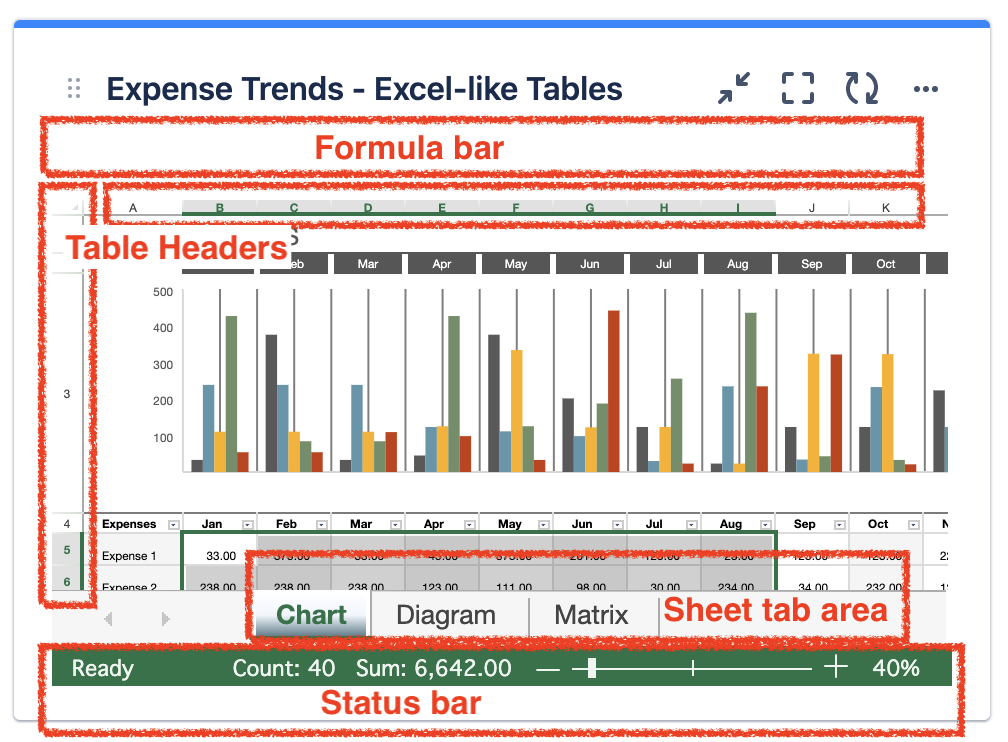
Specify whether showing row/column table headers. |
|
Show Status Bar |
Specify whether showing a status bar of a table. |
|
Show Formula Bar |
Specify whether showing a formula bar. |
|
Show Sheet Tab |
Specify whether showing sheet tab area. |
Restrictions & Tips
-
Edit is not allowed on the gadget. If you want to edit the table, go to the issue view
-
Pressing the Escape key on the gadget makes it focus out.