
In WBS Gantt-Chart for Jira, you can display all issues related to updated versions.
Set which version to display in WBS Gantt-Chart by following these steps:
-
WBS Gantt-Chart ⇒ Choose Gantt Configure.
-
Click Edit of Versions.
-
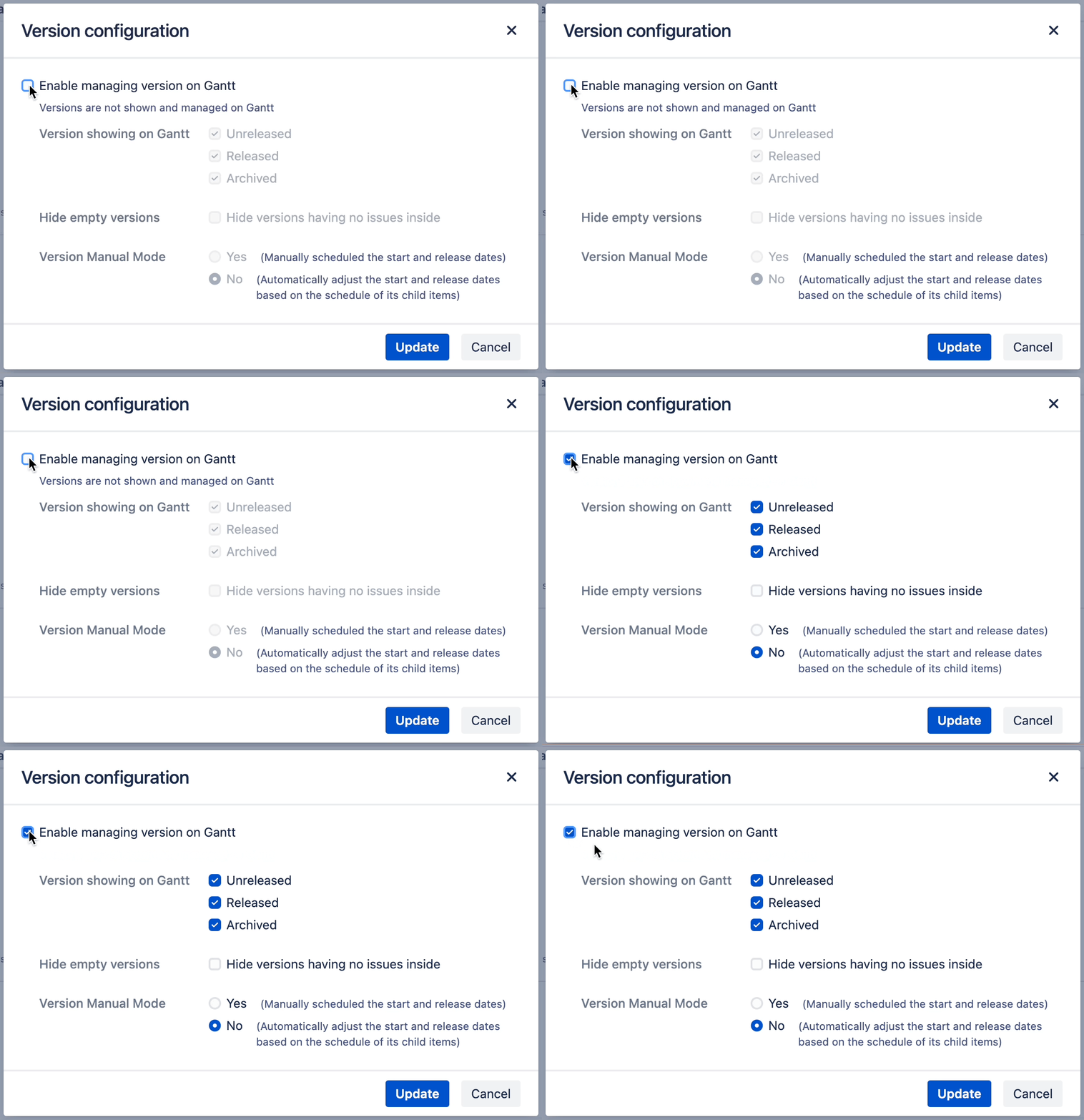
Edit the Version limitation.
-
Toggle to on/off version feature.
-
Check which kind of version will be shown on Gantt
-
Unreleased
-
Released
-
Archived
-
-
Check to hide the empty versions or not
-
Choose the version manual schedule mode option
-
Yes: Manually schedule the start and release dates of version
-
No: Automatically adjust the start and release dates of version based on the schedule of its child items
-
-
-
Click Update
Next, learn how to configure Additional columns.
Configuring additional columns
If you have any questions please feel free to ask a member of the Atlassian community!
Add the tag "addon-jp.ricksoft.plugins.wbsgantt-for-jira" when you ask a question.